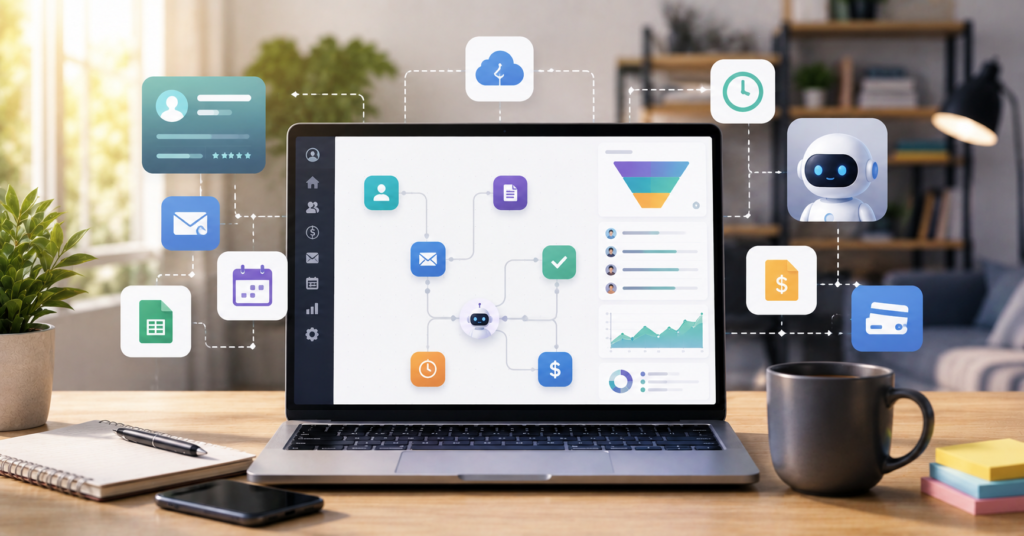
If you’re researching workflow automation for freelancers, you’re probably already feeling the same pressure I experienced when my freelance business started picking up. More clients sounded exciting at first — but eventually I was spending more time on admin work than on actual paid work.
I was constantly switching between email, invoices, spreadsheets, proposals, contracts, and project updates. By the end of the week I felt busy but not productive. Automation completely changed that. Once I built a proper workflow system, I was saving more than 10 hours every single week.
This guide breaks down the automation tools, workflows, and systems that helped me cut burnout, improve the client experience, and scale my freelance work without hiring anyone.
Why Your Current Freelance Workflow Is Killing Your Growth
Why do freelancers struggle with scaling even when they have more clients?
The biggest issue is operational overload. Most freelancers build their business around manual tasks instead of repeatable systems — and that eventually creates bottlenecks and burnout that no amount of harder work can fix.
The Hidden Cost of Manual Client Onboarding
Manual onboarding looks harmless in the beginning. You send emails manually, create folders manually, write invoices manually, and track projects manually. It’s manageable when you have two or three clients.
But once multiple clients arrive at the same time, everything starts breaking down fast.
Before automation, my onboarding process looked something like this:
- Reply to inquiry email
- Send proposal manually
- Create project folder
- Build invoice from scratch
- Create task board
- Schedule onboarding call
- Update spreadsheet tracker
None of those tasks made me any money directly. They just consumed time and mental energy I could’ve put toward actual client work.
After automating onboarding, new clients moved through the whole process automatically — with fewer mistakes and much faster response times.
Administrative Overhead and Burnout Risks
Freelancers often assume burnout comes from doing too much client work. In reality, admin overload is responsible for a huge part of the stress.
Constantly switching between platforms destroys focus. Every small manual task creates another mental interruption that takes time to recover from.
Automation helps because it removes repetitive decisions:
- Automatic reminders
- Recurring invoices
- Lead tracking
- Proposal templates
- Task creation
- Follow-up emails
- Status notifications
Small automations like these remove hundreds of tiny interruptions every single month.
Top Automation Categories Every Solo Pro Needs
What should freelancers automate first?
Start with repetitive tasks that happen every week without fail. The best automations save time immediately and cut down on the number of manual decisions you’re making every day.
Streamlining Client Management and CRM
Client management gets chaotic fast when information is scattered across email threads, spreadsheets, and messaging apps at the same time.
A simple CRM workflow can automatically:
- Track incoming leads
- Tag clients by stage
- Schedule reminders
- Send onboarding forms
- Create tasks automatically
- Store client notes in one place
The biggest improvement I noticed was consistency. Every client started getting the same clean onboarding experience instead of whatever I managed to pull together manually that day.
Even simple automations can make freelancers look far more professional than they actually feel on the inside.
Automatic Time Tracking and Invoicing
Time tracking sounds simple until you realize you haven’t logged any hours for three days straight and can’t remember what you worked on.
Automation protects your revenue by tracking work consistently and generating invoices without you having to think about it:
- Automatic invoice generation
- Recurring billing
- Payment reminders
- Time tracking sync
- Project-based reporting
- Expense categorization
One automation I set up stopped me from constantly forgetting follow-up invoices. That single change improved my cash flow more than I expected.
The Best Tech Stack for Freelance Automation in 2026
The best automation stack isn’t necessarily the most advanced one. It’s the one you can actually maintain consistently without getting overwhelmed or spending every weekend troubleshooting it.
Integration Hubs: Zapier vs Make.com
Automation hubs are what connect all your tools together. Instead of manually copying information between apps, these platforms handle the work automatically in the background.
I switched to Zapier when I finally admitted I was wasting hours every week moving data between tools by hand. The time savings were obvious within the first month.
You can test it here: Try Zapier Free.
Zapier works especially well for:
- Beginners and non-technical users
- Fast setup without coding
- Simple but reliable integrations
- Standard business workflows
Make.com became my preferred option for more advanced workflows because it gives you stronger visual control and deeper automation logic when you need it.
Both platforms genuinely work well. The right choice mostly depends on how complex your workflows eventually become.
Project Management Through Notion and Monday.com
Every freelancer needs one central workspace for projects, notes, tasks, and deadlines — somewhere that doesn’t require digging through three different apps to find a single piece of information.
Notion works well for flexible documentation and fully custom workflows. Monday.com works better for structured project management when you want clear visibility across multiple active projects.
I eventually landed on using both together:
- Notion for documentation and planning
- Monday.com for project execution and tracking
- Zapier for keeping everything synced automatically
That combination eliminated almost all manual project tracking from my week.
Role-Specific Automation Scenarios for 2026
Should every freelancer use the same automation setup?
No — and that’s actually an important distinction. Designers, developers, consultants, writers, and marketers all have different daily workflows, so the best automation system should match the work you actually do.
Creative Workflows for Designers and Artists
Creative freelancers usually struggle with file organization, client approvals, revision rounds, and asset delivery. Those are the areas worth automating first.
Useful creative automations include:
- Automatic asset folder creation on project start
- Client approval reminders
- Contract workflows
- File delivery notifications
- Revision tracking systems
- Invoice triggers after final approval
One designer I worked with automated watermarked preview delivery before final payment. That one workflow alone reduced payment delays significantly.
Technical Stacks for Solo Developers and Coders
Developers often need deeper integrations and more complex API-heavy workflows that beginner tools can’t always handle cleanly.
Technical freelancers commonly automate things like:
- GitHub notifications
- Error monitoring alerts
- Deployment notifications
- Client progress reporting
- Ticket routing
- Database backups
- AI-assisted project summaries
Many solo developers eventually move toward Make.com or n8n because they need stronger logic handling than entry-level tools provide.
Download Free Freelance Automation Starter Kit
Calculating Your ROI: Turning Saved Time into Revenue
How much money can freelancers actually save through automation?
It depends on your hourly rate and how many repetitive tasks you remove from your week. But even saving five hours weekly creates significant long-term ROI for solo freelancers operating at any rate.
Monthly Savings Estimation per Automation Tool
Here’s the simplest way to calculate whether automation makes financial sense:
- Estimate hours saved per week
- Multiply by your billable hourly rate
- Subtract monthly software costs
A rough example:
- 10 hours saved weekly
- $60 hourly rate
- ~40 hours recovered per month
- ~$2,400 in potential recovered value
Even after paying for the tools, the time savings usually produce positive ROI within the first month or two. Automation isn’t really about software — it’s about getting your billable hours back.
Reinvesting Saved Hours into High-Ticket Clients
After tracking my actual hours in Monday.com for 60 days, I realized most of my wasted time was coming from admin work — not from client projects at all.
You can start tracking here: Start Monday.com Free Trial.
The biggest benefit of automation wasn’t free time. It was focus. Instead of chasing invoices or updating spreadsheets, I used that reclaimed time for:
- Higher-paying client projects
- Portfolio improvements
- Outbound outreach
- Upsells to existing clients
- Skill development
- Content marketing
That shift increased my revenue far more than I expected when I started.
FAQ: Master Freelance Automation in 2026
How Can Freelancers Automate Client Onboarding in 2026?
Connect forms, proposals, contracts, invoices, task creation, and scheduling into one linked workflow system. Tools like Zapier or Make.com can handle the connections between all of them automatically.
What Are the Best Workflow Automation Tools for Solo Freelancers?
Zapier, Make.com, Notion, Monday.com, and n8n are among the strongest options right now because they balance ease of use with real scalability for solo professionals.
How Do Freelancers Track Time Automatically?
Many freelancers connect time tracking apps directly to their project management system and invoicing tools, so billing and reporting happen automatically without manual input.
What Tools Help Solo Freelancers Manage Clients Efficiently?
CRM systems, project management software, automation hubs, and invoicing tools work together to centralize communication and keep workflow tracking in one place.
What Is the Best Automation Stack for Solo Developers?
Most solo developers land on a combination of GitHub, Make.com or n8n, Notion, Slack, and monitoring tools — all connected into one automated system that keeps client updates and technical operations running smoothly.
Final Verdict
Workflow automation for freelancers isn’t optional anymore once your workload starts growing. The real goal isn’t replacing your work — it’s removing the repetitive tasks that drain your time and mental energy before you even get to the work that actually pays.
The freelancers who scale successfully in 2026 are the ones building systems instead of relying entirely on manual effort. Start with one workflow, improve it until it runs smoothly, then expand from there.
Want more automation workflows, freelancer systems, and time-saving strategies? Download Free Freelance Automation Starter Kit and join the email list for weekly automation tips.