Finding the best budgeting apps for beginners can feel genuinely confusing when every app out there claims to be simple, smart, and life-changing. I remember trying to budget with spreadsheets, handwritten notes, bank statements, and random apps all at the same time. It didn’t make me more organized. It made me want to give up entirely.
The right budgeting app should make your money easier to understand — not harder. For beginners, the goal is straightforward: know what comes in, know what goes out, stop surprise spending, and build a system you can actually stick with. This guide breaks down the best beginner-friendly budgeting apps in 2026 and helps you figure out which one fits your actual situation.
Why Most Beginners Fail at Budgeting and How to Fix It
Most beginners fail because they try to track too much manually, pick tools that feel too complicated, or expect to be perfect right away. The fix is starting with a simple app, checking your money once a week, and building one habit at a time instead of overhauling everything overnight.
The Struggle of Manual Expense Tracking
Manual tracking sounds responsible — and it is — but it breaks down fast for most beginners. You miss one receipt, forget one subscription, or skip one week, and suddenly the whole budget feels completely pointless.
I tried writing every expense by hand, and it held together for about ten days. Then life got busy. The problem wasn’t laziness. The system required more effort than I could realistically sustain.
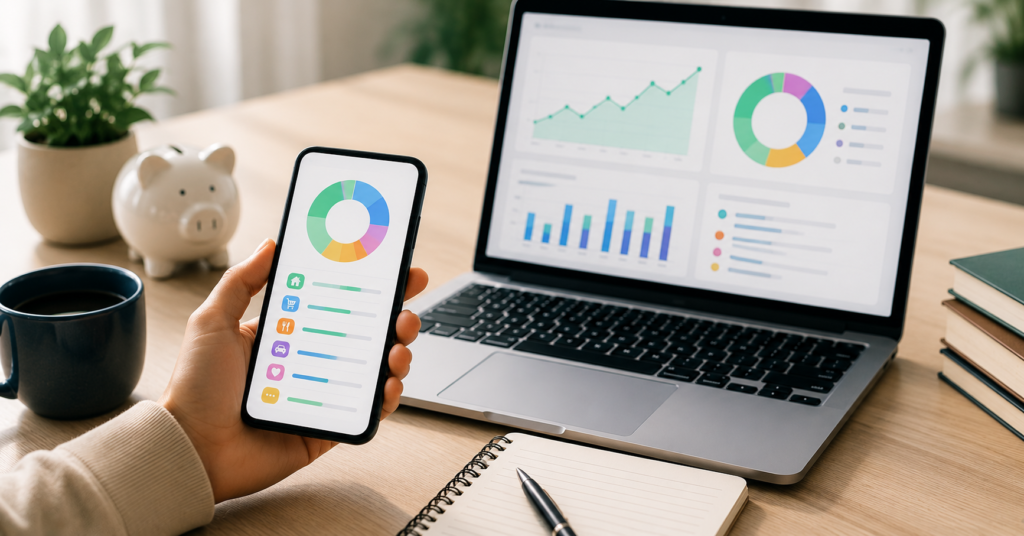
A good budgeting app reduces that friction significantly. It shows spending categories, bills, account balances, and progress in one place. That matters a lot because beginners need clarity before they need advanced strategy.
Overcoming the Learning Curve of Complex Tools
Some budgeting apps are incredibly powerful — but also intimidating enough that many beginners quit before the first month ends. If the setup feels like homework, the tool won’t survive contact with real life.
The best beginner app should help you answer three questions quickly and clearly:
- How much money do I actually have right now?
- Where is my money going each month?
- What should I change starting this week?
Once those questions become easy to answer, deeper features like debt payoff planning, savings goals, and automatic account syncing become genuinely useful rather than overwhelming.
Key Features to Look for in a 2026 Budgeting App
Automation vs. Manual Entry for Beginners
Automation helps beginners because it removes the risk of falling behind. Bank sync pulls transactions into the app automatically, which saves time and surfaces spending patterns much faster than doing it by hand.
Manual entry still has real value — it forces awareness in a way automation doesn’t. But for someone just starting out, fully manual tracking can become overwhelming within a few weeks.
The best setup is usually a blend of both. Let the app import transactions automatically, then sit down once or twice a week to review and categorize them. That balance builds the habit without burning you out.
Security and Bank Sync Reliability
Budgeting apps often connect to bank accounts, so security genuinely matters. Before committing to any app, check whether it uses secure account linking, clear privacy practices, and responsive support when things go wrong.
Bank sync also varies significantly by institution. An app might work perfectly with major banks but struggle with smaller credit unions or regional banks you’re already using.
Before paying for any premium plan, test the free trial first. Make sure your main accounts connect properly and that transactions actually show up correctly before spending money on a subscription.
Best Free Budgeting Apps for Beginners Starting Today
EveryDollar: The Simple Zero-Based Approach
EveryDollar works well for beginners who want a clean zero-based budgeting system. Zero-based budgeting means every dollar gets assigned a specific job before the month even begins — nothing floats around unaccounted for.
This approach helped me realize that unassigned money almost always disappears. If I didn’t decide where it should go ahead of time, spending decisions happened randomly and I’d wonder where the month went.
EveryDollar is best for people who like simple categories, monthly planning, and a clear structure. It may not be the most advanced app on this list — but beginners usually need simple far more than they need advanced.
Goodbudget: Digital Envelope System for Starters
Goodbudget uses the envelope method. Instead of physical cash envelopes, you create digital ones for groceries, gas, rent, entertainment, savings, and debt payments — and you spend from each envelope until it’s empty.
This method works especially well for people who overspend in specific categories. Watching an envelope run low creates a clear, visual warning before the month falls apart rather than after.
Goodbudget is a solid free option for people who want hands-on control without connecting every bank account to yet another app.
Premium Tools for Faster Financial Freedom
Monarch Money: The Best All-in-One Dashboard
Monarch Money works best for people who want a complete financial dashboard in one place. It helps you track accounts, spending, goals, net worth, and household finances together rather than juggling five different apps.
After switching to Monarch Money, I finally saw my full money picture without opening a dozen different windows. That made it much easier to understand not just what I was spending, but how that spending was actually affecting my savings, debt, and long-term goals. Try Monarch Money Free.
Monarch is especially useful for couples, families, or anyone managing multiple accounts. It might be more than a total beginner needs on day one — but it becomes genuinely valuable when you want one clean, honest view of everything.
YNAB: Proven Method for Paying Off Debt
YNAB is different from most budgeting apps because it teaches an actual method — not just passive tracking. The core idea is giving every dollar a job before the spending happens, so you’re always planning ahead instead of reacting after the fact.
I started using YNAB when I had debt that kept creeping back up even after I made payments. The app forced me to think about money before it left my account, which changed the pattern entirely. Try YNAB Free for 34 Days.
YNAB works best for beginners who want to stop living paycheck to paycheck, seriously tackle debt, or finally understand where their money actually goes. There’s a real learning curve — but the method can genuinely change how you think about spending long-term.
Step-by-Step Guide: Setting Up Your First Budgeting App
Connecting Accounts and Categorizing Expenses
Start simple. Don’t try to connect every account on the first day if that feels overwhelming — that’s a recipe for quitting before you get any benefit from the app.
Use this beginner setup flow instead:
- Connect your main checking account first
- Add your primary credit card
- Create basic categories: rent, groceries, gas, bills, debt, savings, and fun money
- Review the last 30 days of transactions to see where you actually stand
- Adjust and clean up categories once per week going forward
The first week isn’t about perfection. It’s about seeing reality clearly — possibly for the first time — so you can make better decisions from a place of actual knowledge.
Setting Realistic Monthly Savings Goals
Many beginners stumble here because they set savings goals that look impressive on paper but don’t match real life at all. If you’ve been saving nothing, jumping straight to a $1,000 monthly goal usually ends in frustration and guilt rather than progress.
Start with goals that feel almost embarrassingly easy:
- A $25 emergency fund transfer each payday
- A $50 extra debt payment once a month
- A $10 weekly savings habit no matter what
- One no-spend weekend per month
Free tool: Download Free Beginner Budgeting Starter Kit and use it to build your first monthly budget, savings plan, and spending category setup all in one place.
Once you hit the small goal consistently for a few months, increase it slowly. Budgeting gets much easier when it creates small wins instead of constant guilt.
FAQ: Common Questions About Budgeting Apps in 2026
The best budgeting app for beginners is simply the one you can keep using for at least 90 days. Simple tracking, clear categories, reliable bank sync, and realistic savings goals matter far more than any advanced feature you might never touch.
Making the Right Choice for Your Finances
What is the best budgeting app for beginners in 2026?
YNAB is the strongest choice for beginners who want structure and a real debt payoff method. Monarch Money is better for people who want a complete financial dashboard that shows everything in one place.
Is there a free budgeting app for beginners that works?
Yes — EveryDollar and Goodbudget both work well for beginners who want solid budgeting without paying for a premium subscription right away.
Which budgeting app is best for paying off debt for beginners?
YNAB is one of the strongest options for debt payoff specifically because it helps you plan money before spending it — rather than just tracking the damage after it’s already done.
Future-Proofing Your Personal Finance Strategy
What is the simplest budgeting app for someone who has never budgeted before?
EveryDollar is one of the cleanest starting points available because the layout is simple and the zero-based method is easy to understand without much background knowledge.
Which free budgeting app is truly best for beginners in 2026?
Goodbudget is the stronger free choice if you like the envelope method and want hands-on control. EveryDollar is better if you prefer monthly zero-based planning with a simpler interface.
The honest truth about the best budgeting apps for beginners is this: the right app should reduce your stress, not add more work to your week. Start with one tool, review your money weekly, and build the habit before chasing any advanced features. Want the full setup checklist? Download Free Beginner Budgeting Starter Kit and join the email list for monthly budgeting tips that actually work.