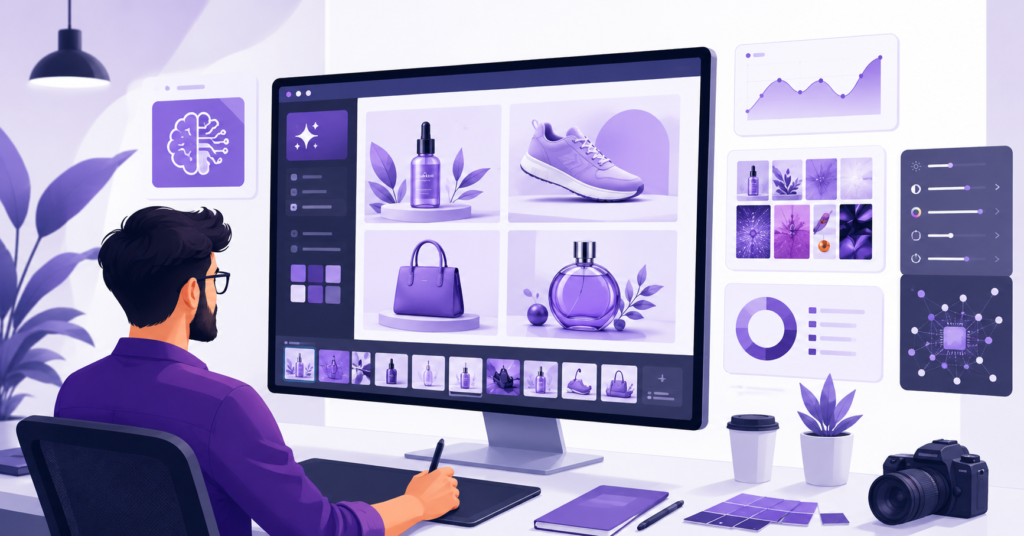
Choosing the best AI image generator for commercial use is now a real business decision — not just a creative one. Teams use AI images for ads, landing pages, product mockups, social posts, and brand campaigns. However, commercial use isn’t only about image quality. It also comes down to licensing, usage rights, brand safety, and how fast your team can actually ship.
This guide ranks the strongest AI image generators for business use in 2025. The focus is on tools that help marketers, designers, founders, and agencies create usable visuals without slowing down production.
Essential Criteria for Selecting Commercial AI Image Generators
The best AI image generators for commercial use include Adobe Firefly, Midjourney, DALL·E, Canva, Leonardo AI, Ideogram, and Stable Diffusion platforms. The right pick depends on your need for licensing clarity, brand control, image quality, speed, and team collaboration.
For business use, don’t choose a tool based on visual style alone. A platform might produce beautiful images but still create legal exposure if its licensing terms aren’t clear. Therefore, commercial teams should review usage rights before publishing any AI-generated asset.
Navigating Licensing Rights and Legal Copyright Risks
Every commercial AI image workflow should start with five quick checks. These reduce avoidable risk before your team publishes anything in ads, product pages, or client work.
- Confirm commercial use is permitted on your specific plan
- Check whether images can appear in paid advertising
- Verify that the tool uses licensed or filtered training data
- Avoid prompts that mimic living artists, brands, or characters
- Keep records of prompts, edits, and where each image was used
In most cases, businesses should steer clear of AI images that imitate protected brands, public figures, or copyrighted characters. Even if the tool generates the image, your business is still responsible for where it ends up.
As a result, the safest workflows use original prompts, generic styling, and clear product direction. That approach creates professional-looking images without leaning on someone else’s protected identity.
Top-Rated AI Generators for Professional Marketing and Business
The best tool depends on the job. Some platforms prioritize commercial safety. Others focus on premium visual quality. Others are built to slot into existing design workflows. Here are the strongest options for commercial teams right now.
Adobe Firefly is the top pick for companies that care about brand safety and professional design integration. I’ve been using this tool for commercial projects, and Adobe Firefly consistently delivers clean outputs, fast ideation, and a safer creative process — especially for teams already working inside Adobe’s design stack.
Midjourney is best for premium visual direction. It produces cinematic, editorial, and concept-heavy images with strong mood and fine detail. Designers often reach for it when building campaign concepts, pitch decks, mood boards, and high-impact hero visuals.
DALL·E is strong for simple prompt-to-image workflows and fast business content. It works well for blog images, social graphics, concept sketches, and general marketing visuals — and it’s reliable when a team needs clear instruction-following.
Canva is the go-to for non-designers who need finished marketing assets quickly. Its AI features sit inside a drag-and-drop editor, so users can generate images, add layouts, resize designs, and prep social posts without switching tools.
Leonardo AI is strong for game assets, product concepts, and creative production pipelines. Its flexible controls make it useful for teams that need a consistent repeatable visual style.
Ideogram is useful when image generation and design-like layouts need to work together. It helps with poster concepts, product mockups, and visual ad ideas. However, businesses should still review outputs carefully before any commercial use.
Stable Diffusion platforms are best for technical teams that want full customization. They support private workflows, model control, and advanced pipelines — but they require more setup and internal governance.
Adobe Firefly vs. Midjourney: Visual Quality and Safety Compared
Adobe Firefly and Midjourney serve different business needs. Firefly is the stronger choice for teams that need safer commercial workflows and tight design integration. Midjourney wins on visual impact and creative range.
- Choose Adobe Firefly for brand-safe commercial workflows
- Choose Midjourney for premium visual quality and creative impact
- Choose Canva for fast, ready-to-publish marketing assets
- Choose DALL·E for flexible everyday image creation
- Choose Stable Diffusion for custom technical pipelines
For most businesses, the safest approach is to use Firefly for public-facing brand work and Midjourney for concept development. Then refine final assets inside a dedicated design tool before publishing.
Real-World Use Cases: Transforming Business Workflows with AI Art
AI image tools earn their place when they support clear business outcomes — not just produce random art. The best use cases center on helping teams create campaign ideas, product visuals, blog graphics, thumbnails, and sales assets faster than traditional methods allow.
For example, an ecommerce brand can use AI to build seasonal product scenes before scheduling a real photo shoot. A SaaS company can generate blog header images and social visuals at scale. An agency can produce pitch concepts for clients in hours instead of days.
Marketing teams also use AI image tools for A/B testing creative concepts. They can quickly test different moods, backgrounds, angles, and audience styles before committing budget to final production. This cuts creative waste significantly.
Creating High-Converting Product Marketing Images
Product marketing images need more than good looks. They need clarity, relevance, and conversion intent. The product should stand out, the background should support the offer, and the image should match what the buyer is actually expecting to see.
- Use clean backgrounds for ecommerce product shots
- Build lifestyle scenes for premium brand storytelling
- Structure ad concepts around one clear visual message
- Avoid fake claims or misleading product representations
- Always review faces and hands in final outputs before publishing
A strong workflow starts with the product goal. First, define the target buyer. Next, choose the visual style. Then generate several variations. Finally, test the strongest image in an ad, landing page, or email campaign and measure the result.
AI image generation also helps small teams compete with larger ones. A solo founder can create product concept images, social visuals, and pitch deck graphics without hiring a full creative department.
Pricing Plans and Subscription Models for Scalable Business Use
Pricing matters because commercial teams generate images repeatedly. A tool that looks affordable for one user can get expensive fast when a whole team needs shared access, storage, editing features, and brand controls.
I’ve been using Midjourney for high-end visual work, and Midjourney is especially strong when a campaign needs mood, visual drama, and polished creative direction that stands out in a crowded feed.
That said, price shouldn’t be the only factor. Teams should weigh output quality, allowed usage, editing tools, collaboration features, and time saved in production. A slightly higher subscription often pays for itself when it removes hours of manual design work.
Not sure which AI image tool fits your business budget? Download the free Commercial AI Image Tool Comparison PDF and find your best match in under 10 minutes.
Comparing Cost-Efficiency for Enterprise-Level Commercial Usage
Cost-efficiency looks different depending on your team size and use case. A solo creator needs a simple monthly plan with speed. A marketing team needs shared access, asset management, and repeatable brand styles. An enterprise team needs legal review, admin controls, and private workflows.
- Solo creators: prioritize low monthly cost and output speed
- Small businesses: prioritize commercial clarity and template access
- Agencies: prioritize quality, versioning, and client approval flows
- Enterprise teams: prioritize governance and legal review processes
- Ecommerce teams: prioritize product image consistency at scale
Next, measure value by finished usable assets — not total images generated. A tool that creates hundreds of throwaway images isn’t efficient. A tool that reliably produces ten campaign-ready assets is worth far more.
Finally, build a simple review process. Every commercial AI image should clear a brand check, a legal risk check, and a quality check before it goes live. That protects both your brand and your clients.
Frequently Asked Questions About AI Image Generators for Commercial Use
Commercial AI image tools help teams move faster, but they still require human review at every stage. The best results come from clear prompts, safe usage rules, and careful final approval before anything goes public.
Expert Answers for Designers and Marketers
Which AI image generator allows commercial use? Many major platforms offer commercial use on eligible paid plans, including Adobe Firefly, Midjourney, Canva, DALL·E, and others. Always check the current terms for your specific plan before publishing any business asset.
Is Midjourney safe for commercial use? Midjourney can work well for commercial creative projects, especially concept art and high-end visuals. However, businesses should review the plan terms carefully, avoid prompts that imitate protected brands or public figures, and keep prompt records for reference.
What is the best AI image generator for marketing? Adobe Firefly is the strongest choice for brand-conscious marketing teams. Canva is best for fast social and design assets. Midjourney is the top pick when visual quality and creative impact are the priority.
Can businesses claim full ownership of AI-generated images? This depends on the platform’s terms and the copyright law in your market. Businesses should not assume automatic full ownership. For important campaigns, review the tool’s terms carefully and rely on original prompts.
Are there specific AI tools recommended for product marketing images? Yes. Adobe Firefly, Midjourney, Canva, Leonardo AI, and Stable Diffusion platforms all support product marketing workflows. The best choice depends on whether your team needs safety, speed, realism, or deep customization.
The best AI image generator for commercial use is the one that matches your business risk tolerance, design quality standards, and production workflow. Choose Adobe Firefly for safer commercial output, Midjourney for premium visuals, Canva for fast marketing assets, and DALL·E for flexible everyday image creation.
If you found this guide helpful, subscribe to our weekly newsletter for more AI tool reviews and creative workflow tips.