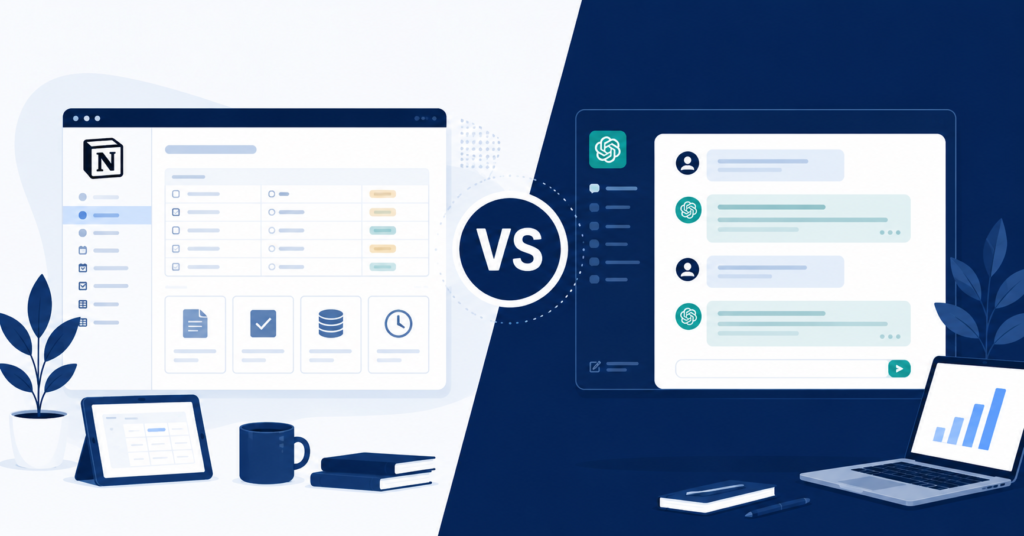
If you’ve been going back and forth on Notion AI pricing vs ChatGPT for freelancers 2025, you’re not alone. Both tools cost roughly the same per month, both carry serious brand recognition, and both promise to make your work faster. The problem is that “faster” means completely different things depending on how you actually work. This guide cuts through the feature comparisons and gets to what actually matters: which tool earns back its cost faster for your specific freelance setup.
Why Freelancers Get Stuck Choosing Between Notion AI and ChatGPT
Most comparisons online treat this like a feature race. Notion AI gets points for database integration. ChatGPT gets points for creative flexibility. Someone declares a winner, and you’re no closer to a decision than before you started reading.
The reason freelancers stay stuck isn’t lack of information. It’s that most comparisons skip the question that actually matters: which tool fits the way you already work, and which one requires you to rebuild your workflow around it?
The Real Problem Is Workflow Fit, Not Features
A freelance writer who lives in Google Docs and sends everything by email has almost no reason to pay for Notion AI. A freelance project manager who tracks five client retainers, invoices, and deliverables inside Notion already has a completely different calculation.
The honest answer is that neither tool is objectively better. One of them is better for you — and that answer comes from your workflow, not a spec sheet. The sections below are designed to help you figure out which category you’re actually in before you spend another month paying for the wrong subscription.
Freelancer Workflow Showdown: Contracts, Client Comms, and Project Tracking
Let’s get specific. Most freelance work involves some combination of writing, client communication, project tracking, and admin. Where each tool pulls ahead depends on which of those takes up the most of your week.
ChatGPT handles open-ended generation tasks extremely well. Contract draft from scratch, proposal rewrite, cold outreach email, tricky client reply — it handles all of these without much setup. You describe what you need, and it produces a working draft in seconds. The friction is low and the flexibility is high.
Notion AI works differently. It’s not a standalone AI assistant — it’s an AI layer built into a workspace you’re already using. If your project boards, client databases, meeting notes, and task lists all live in Notion, the AI can summarize, reformat, and help you work within that existing structure without switching tabs.
Notion AI Database Automation vs ChatGPT Flexible Drafting — Real Use Cases
Here’s how that plays out in practice:
- Writing a proposal for a new client from scratch — ChatGPT wins on speed and flexibility.
- Summarizing last month’s project notes into a client update — Notion AI wins because the notes are already there.
- Drafting 10 social media captions for a brand — ChatGPT handles this faster with better variation.
- Keeping five retainer clients organized with status, deadlines, and invoices — Notion AI wins decisively.
- Responding to a difficult client email — ChatGPT gives you more drafting options in one session.
If you already live in Notion, this is the upgrade that makes it worth it — check Notion AI plans here
The pattern here is clear. ChatGPT is better at generating things that don’t exist yet. Notion AI is better at working with information you already have organized in one place. If you don’t use Notion at all, Notion AI offers almost no advantage over a standalone AI tool.
Notion AI Pricing vs ChatGPT: What Does $20/Month Actually Buy a Freelancer?
Both tools land in similar pricing territory at the paid tier. ChatGPT Plus runs around $20 per month. Notion AI is bundled into Notion’s paid plans, so the cost depends on whether you’re already paying for Notion or starting fresh.
The more useful question isn’t which one costs less. It’s which one saves enough time to justify the expense. At a freelance rate of $50 per hour, saving even 30 minutes per week makes either tool cost-neutral within the first month.
ROI Breakdown — Time Saved, Revenue Protected, Cost Justified
Here’s a rough freelancer ROI breakdown by role:
- Freelance writers producing 10+ articles per month: ChatGPT typically saves more time on drafting and ideation.
- Freelancers managing 3+ active client retainers: Notion AI saves more time on organization and status tracking.
- Marketing freelancers doing both content and reporting: running both tools often delivers better ROI than choosing one.
- Solo consultants with light content needs: either tool works — choose based on where your admin currently lives.
For pure writing output and flexibility, this is still the benchmark — see ChatGPT Plus pricing here
Not sure which tool fits your exact freelance setup? Download the free AI Tool Decision Guide for Freelancers — a one-page comparison built for writers, marketers, and PMs.
Which AI Fits Your Freelance Business Type?
If the workflow comparison above didn’t give you a clear answer, your business type usually will. The majority of freelancers fall into one of a few categories, and each one tends to get more value from one tool over the other.
Writers, Marketers, and Project Managers — Tailored Recommendations
- Freelance writers and copywriters: ChatGPT. High drafting volume, varied formats, minimal project management needs.
- Content marketers managing editorial calendars: Notion AI, especially if the calendar already lives in Notion.
- Social media managers handling multiple brands: ChatGPT for caption and copy generation; Notion AI if you’re tracking content across clients in one database.
- Freelance project managers: Notion AI by a wide margin. The database and task management features are the core product, and AI enhances what’s already there.
- Consultants and strategists: depends on whether your deliverables are document-heavy (ChatGPT) or reporting-heavy (Notion AI).
One practical note: if your answer is genuinely unclear, start with ChatGPT Plus. It’s a standalone tool with no dependency on an existing workspace, which makes it easier to test without committing to a new system.
FAQ — Notion AI vs ChatGPT for Freelancers 2025
Final Checklist Before You Subscribe
Is Notion AI better than ChatGPT for freelancers?
It depends on your work type. Notion AI is stronger for freelancers who manage projects, clients, and documents inside Notion. ChatGPT is stronger for freelancers whose primary output is written content produced from scratch. Neither is universally better.
Can I use Notion AI instead of ChatGPT?
You can for some tasks, but not as a full replacement. Notion AI works within your existing Notion workspace, while ChatGPT functions as a standalone assistant. If you don’t already use Notion heavily, Notion AI provides much less value on its own.
What is the cheapest AI tool for freelancers in 2025?
Both tools offer free tiers with meaningful limitations. At the paid level, costs are similar. The more relevant question is which tool saves enough time to cover its own cost — and for most freelancers, either one does within the first two to three weeks of consistent use.
Does Notion AI use GPT-4?
Notion uses a combination of AI models depending on the task. The exact model lineup has evolved over time and may continue to change. For the most current information, check Notion’s official AI feature page directly before subscribing.
Which AI tool is best for freelance writing in 2025?
For pure writing volume and versatility, ChatGPT Plus remains the stronger choice for most freelance writers. Notion AI is a better fit if your writing workflow is already centered inside Notion and you need AI to work within that existing structure.
At the end of the day, Notion AI pricing vs ChatGPT for freelancers 2025 comes down to one question: where does your work actually happen? If it happens inside Notion, Notion AI adds genuine value. If it happens across multiple tools or primarily in a document editor, ChatGPT gives you more flexibility for the same price.
Every week we break down the latest AI tool updates for freelancers — pricing changes, new features, and what actually moves the needle. Subscribe free here.