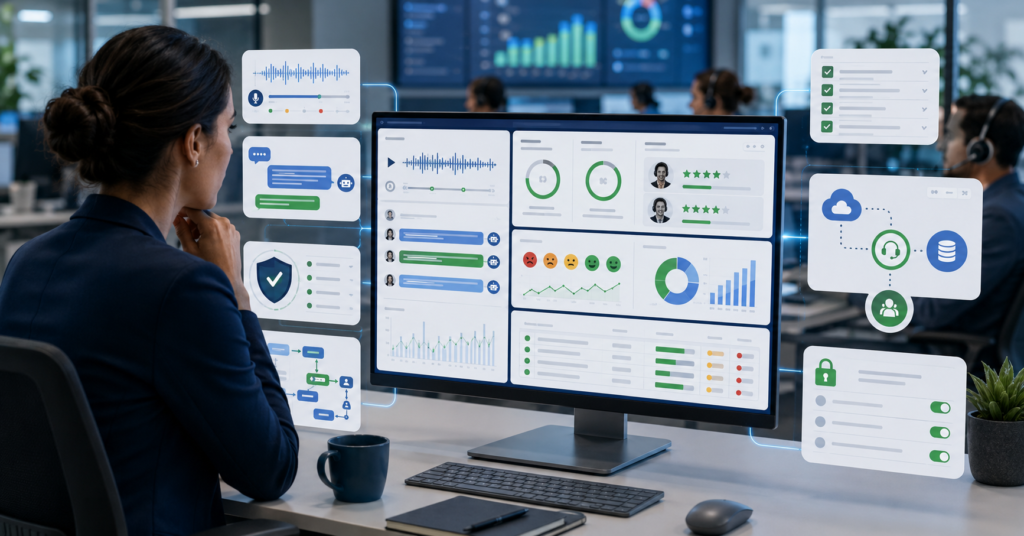
Choosing the best AI call center quality assurance software in 2026 is not simple.
Call centers now manage voice calls, chats, emails, tickets, and customer surveys. Manual QA teams often cannot review every interaction.
AI call center QA software can help teams score more conversations, find coaching gaps, and monitor compliance issues. However, AI scoring still needs calibration and human review.
This guide compares top tools, key features, pricing models, team fit, and privacy risks.
What is AI Call Center Quality Assurance?
AI call center quality assurance software helps teams review customer conversations at scale.
It can capture and transcribe calls, chats, and emails. Then it uses AI to score interactions, detect topics, analyze sentiment, and flag possible compliance issues.
For many teams, the main value is moving beyond small manual samples.
Auto QA vs. traditional manual QA
Traditional QA usually reviews a small sample of interactions.
Auto QA can review more interactions using scorecards, rules, and AI models. This may help teams see patterns that manual sampling can miss.
However, auto QA should not run without oversight.
Teams still need humans to review scoring logic, check edge cases, and calibrate the system.
Core functions: scoring, analytics, and coaching
Most AI QA platforms support several core functions.
- Conversation capture and transcription
- Automated call and chat scoring
- Custom scorecards
- Sentiment and topic analysis
- Compliance monitoring
- Agent coaching workflows
- QA dashboards and reports
- CRM, helpdesk, or CCaaS integrations
These features can support QA managers, CX leaders, BPO operators, and small support teams.
Critical Buyer Checklist: Key Capabilities to Compare
Do not choose a platform by brand name alone.
The best AI call center QA software should fit your channels, team size, compliance needs, and coaching process.
Automated scoring and calibration
Automated scoring is one of the most important features.
It helps teams score calls, chats, or emails using set criteria. These criteria may include greeting quality, policy language, empathy, problem resolution, and compliance steps.
Calibration is the process of aligning AI scoring with human QA standards.
This matters because AI may score a conversation differently than an experienced QA manager. A human-led calibration period helps reduce errors and bias.
CRM and CCaaS integrations
Integrations are also critical.
Your QA tool should connect with your existing systems, such as Zendesk, Salesforce, helpdesk platforms, or CCaaS software.
Without strong integrations, teams may need manual exports. That can slow down adoption.
Privacy and compliance controls
Call center data may include sensitive customer information.
Buyers should check encryption, data residency, deletion policies, access controls, and audit logs.
This is especially important for finance, healthcare, insurance, and regulated support teams.
Reporting dashboards
Reporting should be clear for different roles.
QA managers may need score trends. Team leads may need coaching tasks. CX leaders may need customer experience trends.
| Feature | Why It Matters | Best For |
|---|---|---|
| Conversation analysis | Finds themes across voice, chat, and email | CX and QA teams |
| Automated scoring | Reviews more interactions than manual sampling | QA managers |
| Sentiment analysis | Highlights emotional tone and customer frustration | Support leaders |
| Compliance monitoring | Flags possible policy or regulatory issues | Enterprise and BPO teams |
| Agent coaching | Turns QA findings into improvement tasks | Team leads |
| Integrations | Connects QA data to existing workflows | Operations teams |
Top 8 AI QA Solutions for 2026 Compared
The tools below serve different call center needs.
Some focus on enterprise compliance. Others focus on coaching, support QA, or easier adoption for smaller teams.
Pricing and features can change. Always confirm current details with each vendor.
| Tool | Best For | Pricing Model | Weakness |
|---|---|---|---|
| Observe.AI | Auto QA and agent assist | Volume-based or custom | Complex pricing |
| CallMiner | Compliance and root cause analysis | Volume-based or custom | Longer setup time |
| Level AI | Multichannel summaries and scoring | Private or seat-based | Opaque pricing |
| NICE CXone QM | Enterprise CCaaS users | Volume-based or enterprise | May be too heavy for SMBs |
| AmplifAI | Performance coaching | Custom or volume-based | High entry cost |
| EvaluAgent | SMB and mid-market value | Per user pricing | Less AI-first focus |
| MaestroQA | Zendesk and Salesforce users | Custom pricing | Hybrid manual and auto model |
| Insight7 | Coaching simulations | Plans may start around $699 per month | Initial calibration needed |
Observe.AI
Observe.AI is often discussed for automated QA and agent assist.
It can fit teams that want QA automation and real-time agent support in one platform. However, pricing may be complex and should be confirmed with the vendor.
CallMiner
CallMiner is often used for deep conversation analytics and compliance-focused workflows.
It may fit larger teams that need root cause analysis and broad interaction insights. However, setup may take more time than simpler tools.
Level AI
Level AI is positioned around multichannel scoring, summaries, and dashboards.
It may fit teams that want to analyze voice, chat, and support conversations together. However, buyers should review pricing transparency carefully.
NICE CXone QM
NICE CXone QM can fit organizations already using enterprise contact center systems.
It may be useful when QA must sit inside a larger CCaaS environment. However, it may be too much for small support teams.
AmplifAI
AmplifAI connects QA with coaching and performance workflows.
It may fit BPOs and enterprise support teams that want to tie QA data to agent improvement. However, cost and implementation scope should be reviewed.
EvaluAgent
EvaluAgent may fit small and mid-market teams that want clearer user-based pricing.
It can be useful for teams moving from manual QA to structured QA automation. However, it may not feel as AI-first as some larger platforms.
MaestroQA
MaestroQA is often considered by teams using Zendesk, Salesforce, or support operations workflows.
It can support calibration and hybrid QA processes. However, teams looking for full AI automation should review its model carefully.
Insight7
Insight7 may fit teams that want evaluation and coaching simulation workflows.
It can support training and onboarding use cases. However, AI scoring still needs calibration with real team standards.
Best Tools Recommended by Team Type
Different teams need different tools.
Enterprise teams often care about scale and compliance. Small teams may care more about ease of use and price transparency.
| Team Type | Suggested Tools | Why They Fit |
|---|---|---|
| Enterprise and BPO | NICE CXone QM, CallMiner, AmplifAI | Built for scale, compliance, and complex operations |
| SMB and mid-market | EvaluAgent, MaestroQA | Better fit for cost control and simpler adoption |
| Agent support focused | Observe.AI, Balto | Useful for real-time guidance and assist workflows |
| Training and onboarding | Insight7, Second Nature | Useful for roleplay, coaching, and simulation |
Enterprise and BPO teams
Large teams should prioritize scale, compliance, auditability, and deep integrations.
They should also review data residency, security documentation, and implementation support.
Small and mid-market teams
Smaller teams should avoid overbuying.
A simpler QA platform with clear workflows may be better than a complex enterprise suite.
Agent coaching teams
If coaching is the main goal, look for tools that turn QA results into clear coaching actions.
Real-time guidance may also help teams that want faster support improvement.
Privacy, Security, and Compliance Considerations
AI call center QA tools process sensitive conversations.
These conversations may include customer names, contact details, payment issues, complaints, health-related information, or account data.
Because of this, privacy and compliance should be part of the buying decision from the beginning.
Security checks before buying
- Data residency options
- Encryption standards
- Data deletion policy
- Access controls
- Audit logs
- Role-based permissions
- Data minimization options
- Vendor security documentation
These checks are especially important for regulated industries.
AI accuracy and calibration
AI scoring is not perfect.
It can misunderstand tone, context, sarcasm, or complex customer situations. That is why calibration matters.
Calibration means comparing AI scores with human QA standards and adjusting the system over time.
A practical approach is to run a human-led calibration period before scaling AI scoring across the full team.
Human review loop
Human review should remain part of the QA process.
Teams should review high-risk interactions, compliance flags, and coaching recommendations before using them for major decisions.
- Review sample scores weekly
- Compare AI and human evaluations
- Adjust scorecards when needed
- Document calibration decisions
- Keep audit logs for sensitive workflows
FAQ: Implementing AI in Your QA Workflow
Can AI replace my entire QA team?
No. AI can support QA workflows, but human evaluators are still needed.
They help with calibration, complex reviews, judgment calls, and policy interpretation.
Is 100% automated scoring realistic?
AI tools may help score more interactions than manual QA.
However, teams should verify accuracy during the early stage and continue using human review for important cases.
What security should I prioritize?
Start with data residency, encryption, deletion policies, access controls, and audit logs.
Also review how the vendor handles sensitive customer conversations.
Which tool is best for small teams?
EvaluAgent and MaestroQA may be worth reviewing for small and mid-market teams.
They may offer simpler adoption than enterprise-heavy platforms.
What is calibration in AI QA?
Calibration is the process of aligning AI scoring with human QA standards.
It helps reduce scoring errors and improves trust in the system.
Should teams use real-time coaching or post-call coaching?
It depends on the team’s goal.
Real-time coaching may support agents during live conversations. Post-call coaching may be better for training, QA review, and long-term improvement.
How should a team start using AI QA?
Start with one channel and one scorecard.
Then run a calibration period with human reviewers before expanding to more channels and teams.
Final verdict
The best AI call center quality assurance software in 2026 depends on team size, budget, channels, and compliance needs.
Enterprise and BPO teams may review NICE CXone QM, CallMiner, and AmplifAI. Smaller teams may compare EvaluAgent and MaestroQA. Teams focused on agent support may review Observe.AI or Balto.
However, AI QA should not be treated as fully automatic from day one.
Start with calibration. Verify integrations. Review privacy controls. Then scale only when the scoring matches your team’s quality standards.
Meta Description: Compare the best AI call center quality assurance software for 2026. Explore top features, pricing models, and the best tools for teams of every size.
Slug: best-ai-call-center-quality-assurance-software-2026