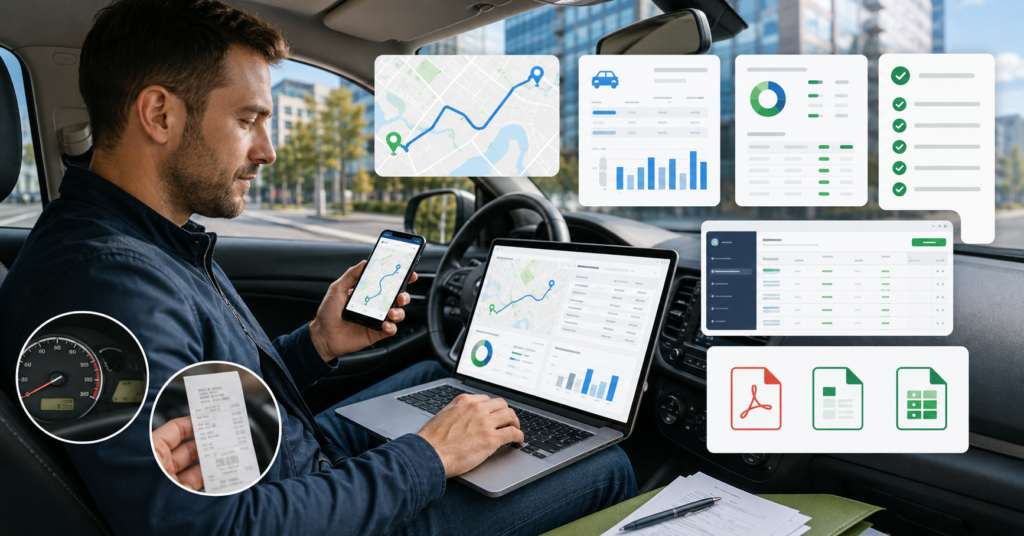
The best mileage tracking apps for self-employed workers in 2026 help you record business miles, organize trips, and prepare tax reports.
However, the best app depends on your job, driving volume, budget, and tax workflow.
This guide compares mileage tracking apps by automatic GPS tracking, IRS-compliant logs, pricing, QuickBooks export, and report formats.
Quick answer: Self-employed workers should compare mileage apps by automatic tracking, IRS-style reports, PDF/CSV exports, QuickBooks integration, manual editing, and free plan limits.
What a Mileage Tracking App Does
A mileage tracking app records business trips for tax and accounting records.
Most apps use GPS tracking, manual trip entry, or both.
Some apps also track expenses, income, tax estimates, and business reports.
For self-employed workers, the main goal is simple.
- Separate business and personal miles.
- Create clean mileage logs.
- Export reports for tax season.
- Share records with an accountant.
- Save time on manual trip records.
Still, a mileage app does not guarantee tax savings.
Your deduction depends on your records, business use, and tax situation.
Who Needs a Mileage Tracking App?
A mileage tracker is useful if you drive for business.
It is especially helpful when you drive often and need clean records.
Best fit users
- Self-employed workers
- Freelancers
- Gig workers
- Delivery drivers
- Rideshare drivers
- Real estate agents
- Consultants
- Small business owners
Who may not need a paid app?
- People who rarely drive for business
- Workers with only a few trips per year
- Users who already track trips in accounting software
- Drivers who prefer manual spreadsheets
First, check how many business trips you take each month.
Then choose an app that matches your workflow.
How IRS-Compliant Mileage Logs Work
A mileage log should show clear business trip details.
In general, a strong mileage record includes trip date, destination, purpose, starting point, ending point, and miles driven.
Many apps create reports that are designed for tax records.
However, you should still confirm the exact report format before relying on it.
Important mileage log details
- Date of the trip
- Business purpose
- Starting location
- Ending location
- Total miles
- Business or personal classification
- Exportable report format
For 2026, the IRS standard mileage rate should be verified before publication.
The research source indicates 72.5 cents per mile, but rates can change by year.
Best Mileage Tracking Apps by Use Case
Different drivers need different mileage tracking apps.
A rideshare driver may need automatic GPS tracking. A consultant may need clean PDF reports. A bookkeeper may need QuickBooks export.
Best overall: Everlance
Everlance is a strong candidate for self-employed workers who want mileage tracking and tax-friendly reports.
It can fit freelancers, gig workers, and drivers who want both free and paid plan options.
- Best for: self-employed workers who want mileage and expense support
- Check: free plan limits, paid plan pricing, export formats, and tax reports
- Good fit: freelancers, delivery drivers, and consultants
Best simple mileage tracker: MileIQ
MileIQ is often considered by users who want simple automatic mileage tracking.
It can fit workers who mainly need trip classification and mileage logs.
- Best for: simple automatic trip tracking
- Check: free trip limits, monthly cost, and export options
- Good fit: solo workers who want a clean mileage app
Best for teams and detailed tracking: TripLog
TripLog can fit users who need more detailed mileage tracking.
It may also work for teams that need approval workflows, reimbursement tracking, and business mileage reports.
- Best for: teams, businesses, and high-detail tracking
- Check: Premium pricing, team features, GPS options, and export formats
- Good fit: businesses with multiple drivers
Best for tax and income tracking: Hurdlr
Hurdlr may fit self-employed workers who want mileage tracking plus tax and income tracking.
It can be useful when you want one place for trips, income, expenses, and tax estimates.
- Best for: freelancers who want tax-focused tracking
- Check: tax features, accounting exports, and plan limits
- Good fit: consultants, freelancers, and gig workers
Best free option for gig workers: Stride
Stride is often considered by gig workers who want a simple free option.
It may fit delivery and rideshare drivers who need basic mileage and expense tracking.
- Best for: budget-conscious gig workers
- Check: report formats, export options, and feature limits
- Good fit: rideshare and delivery drivers
Best for clean reports: Driversnote
Driversnote can fit users who want clean mileage reports and simple plan options.
It may work well for people who need accountant-friendly records.
- Best for: clean mileage logs and report exports
- Check: Lite plan limits, Basic pricing, Teams pricing, and report formats
- Good fit: consultants, small business owners, and accountant-led users
Best for rideshare-focused drivers: SherpaShare
SherpaShare may fit rideshare and delivery drivers who want driver-focused tools.
Before choosing it, verify pricing, tracking features, and export options.
- Best for: rideshare and delivery work
- Check: mileage logs, income tools, and current plan details
- Good fit: high-mileage gig drivers
Best for accounting integration: QuickBooks Solopreneur and Zoho Expense
QuickBooks Solopreneur can fit users already inside the QuickBooks ecosystem.
Zoho Expense may fit businesses that want mileage tracking with expense management.
- Best for: accounting and expense workflows
- Check: mileage features, export limits, and accounting sync depth
- Good fit: users who want mileage plus accounting records
Mileage Tracking Apps Comparison Table
| App | Best For | Key Features to Check | Main Risk |
|---|---|---|---|
| Everlance | Self-employed workers | Automatic tracking, tax reports, paid plans | Plan limits and pricing may change |
| MileIQ | Simple automatic tracking | Trip classification, free limits, exports | May be too simple for tax-heavy users |
| TripLog | Teams and detailed tracking | GPS options, team tools, reports | Feature depth may require paid plan |
| Hurdlr | Tax and income tracking | Mileage, income, expenses, tax estimates | Tax estimates need review |
| Stride | Free gig worker tracking | Basic mileage and expense tools | Export and report features need verification |
| Driversnote | Clean reports | Lite plan, Basic plan, team reports | Free plan limits may not fit frequent drivers |
| SherpaShare | Rideshare and delivery drivers | Driver-focused tracking and reporting | Current pricing must be checked |
| QuickBooks Solopreneur | QuickBooks users | Accounting sync and tax reports | Best value depends on QuickBooks plan |
| Zoho Expense | Expense management | Mileage, reimbursement, team controls | May be better for teams than solo users |
Pricing Comparison Points
Pricing can change often.
So, verify current plan details before publishing or buying.
| App | Pricing Notes from Research | What to Verify |
|---|---|---|
| Everlance | Basic free, Starter and Professional paid plans | Monthly price, annual price, report limits |
| Driversnote | Lite free, Basic paid, Teams Basic paid | Free trip limits, team pricing, export formats |
| TripLog | Lite free, Premium paid plan noted in research | Current per-user pricing and feature limits |
| MileIQ | Free and paid options may vary | Trip limits, monthly price, export limits |
Integrations and Export Formats
Export options matter during tax season.
If you work with an accountant, check whether the app can export clean files.
Export formats to check
- PDF mileage reports
- CSV exports
- Excel exports
- QuickBooks sync
- Expense report exports
- Accountant-friendly summaries
QuickBooks users should verify the exact sync details.
Some apps may sync only certain data types.
IRS Mileage Deduction Basics
Self-employed workers may be able to deduct business miles.
However, mileage deductions depend on your records and tax situation.
The research source indicates a 2026 standard mileage rate of 72.5 cents per mile.
Still, verify the current IRS rate before publishing or filing taxes.
What to track
- Business miles
- Personal miles
- Trip purpose
- Trip date
- Starting and ending locations
- Vehicle use details
What not to claim
Do not assume every trip is deductible.
Commuting rules, personal use, mixed-use trips, and business purpose can affect deductions.
Ask a tax professional if your situation is unclear.
Buying Checklist
Before choosing a mileage tracker, review your real needs.
This helps you avoid paying for features you will not use.
Step 1: Choose automatic or manual tracking
Automatic GPS tracking is easier for frequent drivers.
Manual tracking may be enough if you drive only sometimes.
Step 2: Check free plan limits
Free plans can be useful.
However, they may limit trips, reports, exports, or automatic tracking.
Step 3: Review tax reports
Look for IRS-style mileage logs and clean tax reports.
Also check whether the report includes trip purpose and classification.
Step 4: Verify QuickBooks export
If you use QuickBooks, check whether the app syncs directly.
Also verify whether it exports mileage only or expenses too.
Step 5: Test battery impact
Automatic GPS tracking can affect battery life.
Test the app for a few days before relying on it full time.
What to Avoid
Avoid guaranteed tax savings claims
No app can guarantee tax savings.
The app can help organize records, but your deduction depends on your tax situation.
Avoid guaranteed audit protection claims
A clean mileage log can help you stay organized.
However, no app can guarantee that you will pass an IRS audit.
Avoid ignoring manual corrections
GPS tracking is useful, but it may not classify every trip correctly.
Choose an app that lets you edit, classify, and review trips.
Avoid choosing only by price
The cheapest app is not always the best option.
Report quality, export formats, and tracking accuracy also matter.
FAQ: Best Mileage Tracking Apps for Self-Employed 2026
Are mileage tracking apps enough for IRS records?
They can help create organized mileage logs.
However, you should verify the report format and keep accurate business records.
Does automatic GPS tracking drain battery?
It can affect battery life.
The exact impact depends on the app, phone, settings, and how often you drive.
What is the best mileage app for QuickBooks users?
QuickBooks users should compare QuickBooks Solopreneur, Everlance, MileIQ, TripLog, and other apps with QuickBooks export.
Verify the sync details before choosing.
Can a free mileage tracking app be enough?
Yes, it can be enough for some low-mileage users.
But frequent drivers may need paid features, automatic tracking, or better reports.
How do I separate business and personal miles?
Most mileage apps let you classify each trip as business or personal.
Some apps also allow swipe-based classification or automatic rules.
What file should I send to my accountant?
Many accountants prefer PDF, CSV, or Excel reports.
Ask your accountant which format they want before tax season.
What is the best app for delivery and rideshare drivers?
Delivery and rideshare drivers should prioritize automatic tracking, fast trip classification, and clear reports.
Compare Everlance, Stride, SherpaShare, MileIQ, and TripLog based on current features.
Final Verdict
The best mileage tracking apps for self-employed workers in 2026 depend on your driving style.
If you want simple tracking, compare MileIQ and Driversnote.
If you want tax-friendly reports, review Everlance and Hurdlr.
If you drive for delivery or rideshare, compare Stride, SherpaShare, and TripLog.
If you use accounting software, check QuickBooks Solopreneur and Zoho Expense.
Finally, verify current pricing, IRS mileage rate, export formats, and QuickBooks integration before choosing a paid plan.
SEO Title: Best Mileage Tracking Apps for Self-Employed 2026
Meta Description: Best mileage tracking apps for self-employed 2026: compare free plans, GPS tracking, IRS mileage logs, QuickBooks export, PDF reports, and tax features.
Slug: best-mileage-tracking-apps-self-employed-2026