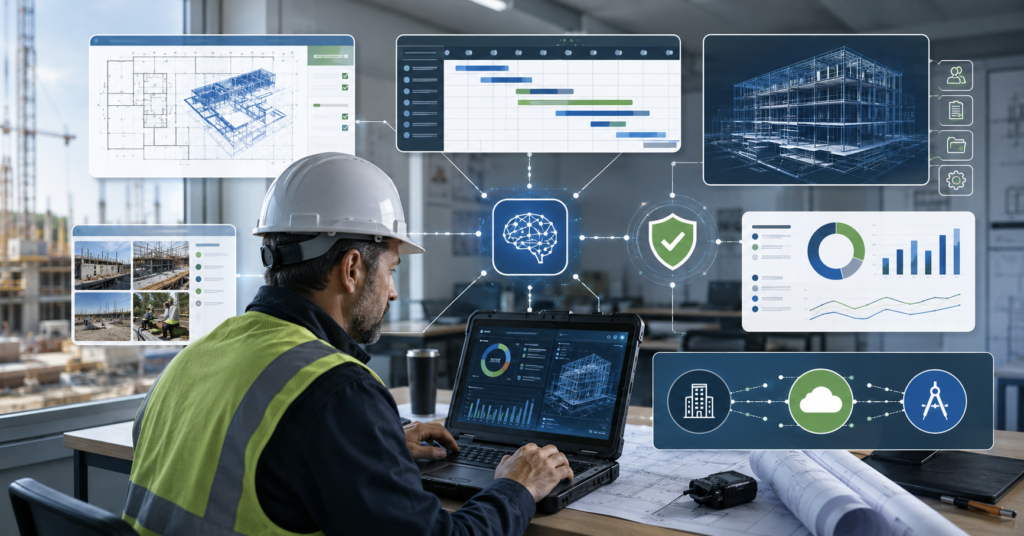
Finding the best AI tools for construction companies 2026 is not just about choosing new software.
Construction teams need tools that fit real workflows. These include project management, estimating, scheduling, document search, field reporting, BIM, and job costing.
However, AI should not replace construction managers, estimators, or safety teams. It can help teams search data, prepare reports, and review project risks.
This guide compares construction AI tools by category, use case, pricing style, integrations, pros, cons, and buying risks.
Best AI Tools for Construction Companies in 2026
Construction companies create a large amount of project data every day.
Plans, RFIs, submittals, photos, cost data, schedules, contracts, and field reports often sit across different systems.
AI tools can help connect and search this information. They may also support estimating, progress tracking, scheduling, and job cost review.
Top Construction AI Software Categories
Most construction AI tools fall into these categories:
- Project management and project data search
- Estimating and quantity takeoff
- Scheduling and delay risk analysis
- Document search and contract review support
- Safety insights and field reporting
- BIM and design coordination
- Finance and job costing
Therefore, buyers should start with a clear workflow. A general contractor may need project data search first. An estimating team may need takeoff automation first.
Why Construction Teams Use AI Software
Construction work depends on many moving parts.
One project may involve owners, architects, engineers, general contractors, subcontractors, suppliers, and field teams.
As a result, delays often come from missing information, slow document review, unclear responsibilities, or weak reporting.
How AI Can Help Connect Construction Data
AI tools can support construction teams in several practical ways:
- Search project documents faster
- Summarize contracts, RFIs, and submittals
- Prepare early takeoff or estimate support
- Track jobsite progress with photos or video
- Analyze schedule risk and delays
- Connect job costs with accounting data
However, teams should review AI output before using it in decisions.
This is especially important for estimates, contract documents, and safety-related work.
Best Construction AI Tools by Category
The best AI tools for construction companies 2026 depend on the job.
Some tools focus on project management. Others focus on estimating, scheduling, field capture, or finance.
Project Management, Estimating, Scheduling, and Field Tools
| Category | Tools | Best For | Pricing Note |
|---|---|---|---|
| Project management | Procore AI, Autodesk Construction Cloud | Project data search, documents, field management | Usually subscription or quote-based |
| Estimating and takeoff | Togal.AI, STACK, ProEst | Quantity takeoff, bid support, estimating workflows | Subscription and quote-based models may apply |
| Scheduling | ALICE Technologies, SmartPM | Schedule simulation, delay risk, project planning | Often quote-based |
| Document search | Procore AI, Document Crunch | Contract search, RFI support, document review | Often quote-based |
| Field reporting | OpenSpace, Buildots, CompanyCam | Jobsite photos, progress tracking, reports | Subscription and quote-based models may apply |
| BIM and design | Autodesk Construction Cloud, Buildots | Model coordination, design data, progress checks | Usually subscription or quote-based |
| Finance and job costing | QuickBooks, Sage, Viewpoint-related workflows | Cost tracking, accounting sync, job cost visibility | Depends on accounting stack and integration |
Key Integrations That Matter
Construction AI software rarely works alone.
In most cases, the value depends on how well the tool connects with existing systems.
These systems may include Procore, Autodesk Construction Cloud, QuickBooks, ERP software, mobile field apps, and document platforms.
Procore, Autodesk, QuickBooks, ERP, and Field Apps
Before buying, construction teams should check these integration points:
- Procore: Project data search, bidding, estimating, and field workflows
- Autodesk Construction Cloud: Documents, BIM, cost management, and model coordination
- QuickBooks: Job costing, expense tracking, and accounting sync
- ERP systems: Sage, Viewpoint, or other construction finance systems
- Mobile field apps: Photo capture, daily reports, punch lists, and safety forms
- Document systems: Contracts, RFIs, submittals, drawings, and change orders
For example, an AI takeoff tool may help estimators. But the result still needs to connect with bid workflows and project records.
Likewise, a field reporting tool may only work well when crews actually capture photos and updates consistently.
Pricing and Buying Notes
Pricing for construction AI tools can be hard to compare.
Some tools use public subscription plans. Many enterprise tools use quote-based pricing.
Therefore, buyers should compare total implementation cost, not only license cost.
What to Check Before Requesting a Demo
Ask these questions before booking demos or quotes:
- Does the tool support your project size and trade type?
- Does it connect with your current construction software?
- Does it require clean historical data?
- How much training does the field team need?
- Can the tool keep audit trails and version history?
- What setup, migration, and support costs apply?
In many cases, a small pilot is safer than a full rollout.
Start with one workflow, one project team, and one measurable problem.
Pros and Cons of Popular Construction AI Tools
Each tool has a different strength.
The right choice depends on whether your team needs better estimating, better project search, better field visibility, or better job costing.
Comparing Top-Rated Candidates
| Tool Group | Pros | Cons |
|---|---|---|
| Procore AI | Can help search project data inside Procore workflows | Availability and usefulness may depend on account setup |
| Autodesk Construction Cloud | Broad coverage across design, documents, cost, and field data | Pricing review may take longer for some buyers |
| Togal.AI, STACK, ProEst | Directly useful for takeoff and estimating teams | Integration planning may be needed |
| ALICE, SmartPM | Can support scheduling, delay risk, and planning analysis | Output quality depends on project data quality |
| OpenSpace, Buildots | Strong for jobsite capture and progress reporting | Field teams need consistent capture habits |
| QuickBooks and ERP workflows | Helpful for job costing and accounting visibility | Construction-specific setup may still require manual work |
On the other hand, using too many tools at once can create confusion.
A phased rollout can reduce adoption problems and keep teams focused.
Risks Before You Buy
AI can help construction teams move faster. However, it also creates serious review responsibilities.
Construction work involves safety, contracts, budgets, and deadlines. These areas need human judgment.
Estimate Accuracy, Jobsite Safety, Contracts, and Training
Review these risks before choosing a tool:
- Estimate accuracy: AI takeoff and estimates should be reviewed by experienced estimators.
- Jobsite safety: AI safety insights should support, not replace, safety teams.
- Contract documents: AI summaries may miss details or context.
- Data privacy: Contracts, drawings, and project records can contain sensitive data.
- Setup cost: Implementation may require data cleanup, permissions, and training.
- Team adoption: Tools fail when field teams do not use them consistently.
Therefore, construction companies should define review rules before rollout.
For example, AI-generated estimates, contract summaries, and safety reports should go through human review before action.
How B2B Software Blogs Can Monetize This Topic
This keyword has strong B2B buying intent.
Readers are not only browsing. Many are comparing software, integrations, pricing, and implementation risks.
SaaS Leads, Demo Requests, and Quote-Based CTAs
A B2B software blog can monetize this article in several ways:
- Demo request buttons for construction SaaS tools
- Quote request CTAs after comparison tables
- Lead generation forms for software consulting
- Category pages such as AI estimating tools or Procore AI integrations
- Comparison pages for Procore, Autodesk, OpenSpace, Buildots, and takeoff tools
Because many tools use quote-based pricing, lead generation may work better than simple affiliate links.
However, the article should stay useful first. Readers need clear categories, risks, and buying checkpoints.
FAQ: Best AI Tools for Construction Companies 2026
What is the best AI software for construction companies?
There is no single best tool for every company. The best option depends on whether the team needs help with PM, estimating, scheduling, safety, field reporting, BIM, or job costing.
Does Procore have AI in 2026?
Procore AI is discussed as a way to support project data search and workflow assistance. Buyers should check current availability and account requirements.
Which AI tools integrate with Autodesk Construction Cloud?
Autodesk Construction Cloud supports construction workflows around documents, models, costs, and collaboration. Buyers should confirm each tool’s current integration list before purchase.
Can AI help with construction estimating?
AI can help with takeoff and estimate preparation. However, experienced estimators should review the output before bids or client decisions.
Is AI reliable for jobsite safety?
AI can support safety reporting and photo-based insights. It should not replace trained safety managers or required safety procedures.
Final Takeaway
The best AI tools for construction companies 2026 are the tools that match real workflows.
Start with the problem that slows your team down most. It may be estimating, document search, field reporting, scheduling, or job costing.
Then test one tool with one team before expanding. This keeps cost, training, and adoption risk under control.
AI can help construction companies organize data and support decisions. But the final review should remain with qualified people.