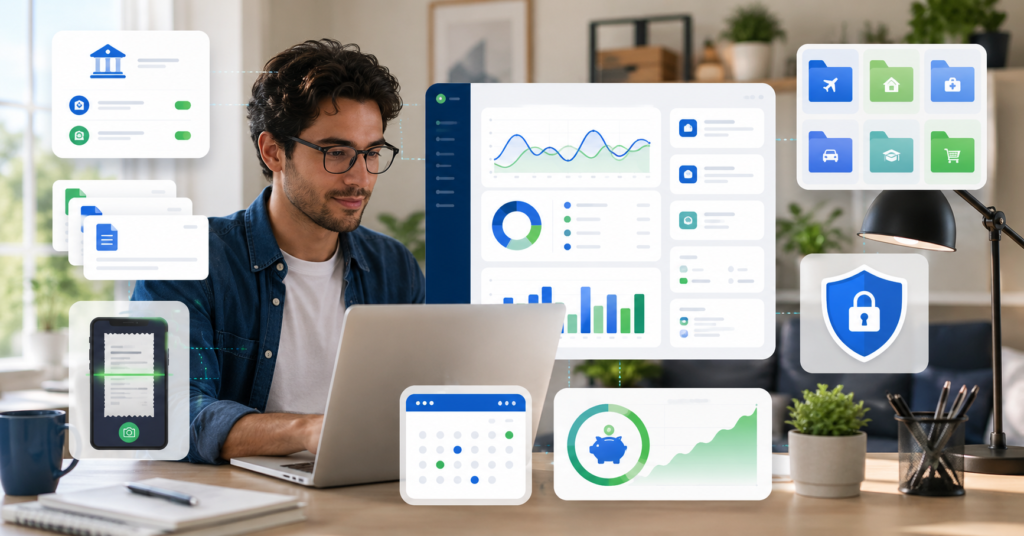
Finding the best budgeting apps for freelancers 2026 is different from choosing a normal household budget app.
Freelancers often deal with irregular income, mixed expenses, client invoices, tax categories, and bank sync needs.
Therefore, the best app is not always the most popular one. It is the one that fits your workflow, income pattern, and tracking habits.
This guide compares budgeting apps for freelancers by use case, pricing, features, pros, cons, and privacy risks.
Best Budgeting Apps for Freelancers in 2026
Freelancers need budget tools that do more than track spending.
A useful app should help separate business expenses, track income, prepare reports, and reduce manual work.
However, no app replaces careful review. Automatic categories can be wrong. Bank sync can also create privacy questions.
What Freelancers Actually Need
Most freelancers should look for these features first:
- Irregular income tracking
- Business and personal expense separation
- Tax category support
- Receipt and mileage tracking
- Invoicing or client payment support
- Bank sync and reports
- Cash flow visibility
First, define your biggest pain point. Then choose an app that solves that problem directly.
Best Apps by Use Case
The best budgeting app for one freelancer may not work for another.
For example, a designer with many client invoices may need FreshBooks. A freelancer who wants strong budget control may prefer YNAB.
Next, compare the apps by real use case instead of picking only by price.
Best for Irregular Income, Taxes, Invoicing, and Free Use
| App | Best For | Pricing Note | Main Strength |
|---|---|---|---|
| QuickBooks Solopreneur | Taxes and business expenses | May cost around $20/month | Tax categories, mileage, and expense tracking |
| FreshBooks | Invoicing and client billing | May range from $19 to $60/month | Invoices, time tracking, and receipts |
| Zoho Expense | Free expense tracking | Free plan may be available | Receipts, mileage, and expense reports |
| Wave | Free accounting and invoicing | Free plan may be available | Bank sync, invoices, and basic accounting |
| Holdings | Automation and cash flow | Free plan may be available | AI categorization and cash flow tools |
| YNAB | Strong budget control | Paid plan | Zero-based budgeting and goals |
| Wallet | Multi-currency freelancers | Free and paid options may apply | Bank sync, reports, and multi-currency tracking |
| Notion | DIY budget templates | Free and paid options may apply | Custom dashboards and manual systems |
Pricing and Key Features
Pricing can change by plan, location, and feature set.
Some apps offer free plans. Others charge monthly for invoicing, tax tools, reports, or advanced automation.
As a result, freelancers should compare both price and workflow fit before paying.
Essential Features to Look For
Before choosing an app, check which features matter most to your business.
- Irregular income: Helpful for freelancers with changing monthly revenue.
- Tax categories: Useful for separating possible deductible expenses.
- Expense tracking: Helps organize receipts, mileage, and business costs.
- Invoicing: Useful when clients need clear billing records.
- Bank sync: Saves time but requires privacy review.
- Reports: Helps show cash flow and spending patterns.
- Multi-currency: Useful for freelancers with international clients.
- DIY templates: Helpful for people who want full control.
For example, QuickBooks Solopreneur may fit tax-focused freelancers. FreshBooks may fit service providers who send many invoices.
On the other hand, Notion may fit freelancers who prefer manual control and custom dashboards.
Pros and Cons Summary
Each app has strengths and limits.
The right choice depends on whether you need tax support, invoicing, expense capture, or strict budget control.
Comparing Top-Rated Candidates
| App | Pros | Cons |
|---|---|---|
| QuickBooks Solopreneur | Strong for tax categories, expenses, and mileage | Costs more than many free apps |
| FreshBooks | Strong invoicing, time tracking, and receipt tools | More accounting-focused than pure budgeting |
| Wave | Useful free option for invoicing and accounting | Advanced budget control may be limited |
| YNAB | Strong budget discipline and goal setting | May require a learning curve |
| Wallet | Good for reports and multi-currency tracking | Setup may take more time |
| Notion | Flexible and easy to customize | Automation is weaker than dedicated apps |
In most cases, freelancers should not start with the most complex tool.
Start with the app that solves the most painful problem first. Then add more tools only when needed.
Safety, Privacy, and Limitations
Budgeting apps can make money management easier. However, they also handle sensitive financial data.
Therefore, freelancers should check privacy terms, security settings, and bank sync controls before connecting accounts.
Managing Bank Sync and Financial Risks
There are four main risks to consider:
- Bank sync risk: Check how the app connects to your bank accounts.
- Privacy risk: Review how the app stores and uses financial data.
- Category errors: Automatic expense classification can be wrong.
- Currency differences: Multi-currency apps may use different exchange methods.
Also, budgeting apps are cash flow tools. They are not personal investment advice.
Finally, review tax-related categories before using the data for filing or professional reports.
How Finance Blogs Can Monetize This Topic
The keyword best budgeting apps for freelancers 2026 has strong commercial value.
Readers are comparing tools. Many are close to choosing a free trial, paid plan, or template.
For a finance blog, this makes the topic a useful Money Page candidate.
Affiliate, Lead, Template, and CPA Angles
There are several practical monetization angles:
- Affiliate links for paid budgeting and accounting apps
- Comparison CTAs after pricing tables
- Notion freelancer budget template sales
- Cash flow spreadsheet template sales
- Lead generation for bookkeeping or CPA support
However, the content should avoid guaranteed savings claims.
A better CTA is simple and safe. For example, invite readers to compare features, check pricing, or start with a free plan.
FAQ: Best Budgeting Apps for Freelancers 2026
What budgeting app is best for irregular freelancer income?
Hurdlr, YNAB, and Wallet are often useful for irregular income tracking. The best choice depends on your income pattern and reporting needs.
Which app is best for tax categories and deductions?
QuickBooks Solopreneur and FreshBooks may fit freelancers who want tax categories, expense tracking, and business records.
Are free budgeting apps good enough for freelancers?
Free apps such as Zoho Expense, Wave, Expensify, or Holdings may be enough for simple needs. Paid tools may help when you need stronger reports, invoicing, or tax features.
Do these apps support bank sync and reports?
Some apps support bank sync and reports. Wave, YNAB, Wallet, and similar tools are often compared for these features.
Can I use Notion as a freelancer budget app?
Yes. Notion can work well for a manual budget dashboard. However, it usually has weaker automation than dedicated budgeting apps.
Final Takeaway
The best budgeting apps for freelancers 2026 depend on your workflow.
If taxes are your main issue, start with tax-friendly tools. If client billing takes time, choose an invoicing-focused app.
If you want full control, YNAB or Notion may be better. If you want a free start, Wave or Zoho Expense may be worth comparing.
Choose one app based on your biggest problem. Then test it with real income and expenses before upgrading.