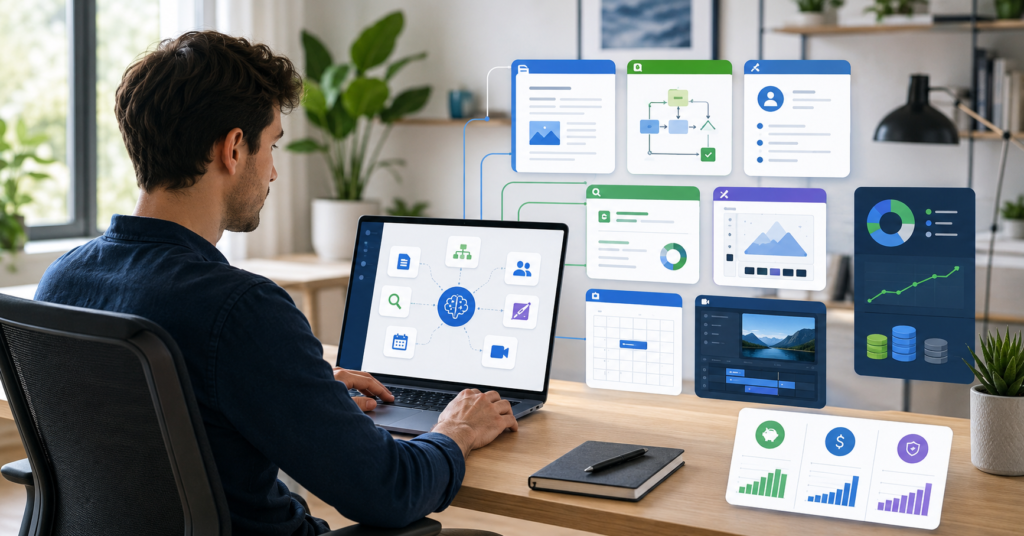
Choosing the best AI tools for solopreneurs 2026 is not about collecting more apps. It is about building a lean stack that saves time, reduces manual work, and helps you grow without hiring too early.
Many solo founders, freelancers, consultants, and creators face the same problem. They have too much work, too many tabs, and too little time.
However, the wrong AI stack can create more stress. You may pay for overlapping tools, waste time testing apps, or build automations that break when you need them most.
This guide gives you a practical shortlist. It also shows how to choose tools by business type, budget, and workflow need.
Best AI Tools for Solopreneurs in 2026
The best AI tools for solopreneurs in 2026 are tools that remove real bottlenecks. They help with writing, research, design, automation, CRM, scheduling, video, and project management.
First, start with one core AI assistant. Then add tools only when a task becomes painful or expensive to do manually.
Quick Recommendation
For most solopreneurs, the safest starter stack is simple:
- ChatGPT for general writing, planning, and analysis.
- Claude for long-form writing and deep reasoning.
- Canva for social graphics and simple brand assets.
- Perplexity for sourced research and fact-checking.
- Notion AI for notes, SOPs, and project context.
- Zapier for automation when manual handoffs become costly.
- HubSpot CRM for lead tracking and pipeline management.
This stack covers the main work of a one-person business. It supports content, operations, client communication, and sales follow-up.
Why Your AI Stack Matters More Than One Tool
A single AI tool can help. However, a clear AI stack creates leverage.
For example, ChatGPT may help you write. But Notion can store your ideas, Zapier can move lead data, and HubSpot can track prospects.
As a result, your business becomes easier to run. You spend less time switching between tasks and more time doing valuable work.
What Solopreneurs Actually Need From AI Tools
Solopreneurs do not need every new AI app. They need tools that solve daily business problems.
In most cases, the best tool is not the most advanced one. It is the tool that saves time every week.
Time Savings
Time is the main constraint for a solopreneur. You handle sales, delivery, admin, marketing, and customer support alone.
Therefore, AI should reduce repeat work. It should help you draft faster, summarize faster, plan faster, and respond faster.
Content Production
Content is a major growth channel for many solo businesses. AI tools can help with blog ideas, newsletters, social posts, scripts, and video repurposing.
However, AI should not replace your judgment. It should support your voice and speed up production.
Automation
Automation helps when tasks repeat. For example, you can move leads from forms to a CRM, send follow-up emails, or update project boards.
Next, you should measure the time saved. If an automation saves only a few minutes per month, it may not be worth the setup.
Client Management
Freelancers, consultants, and service providers need simple client tracking. A CRM helps you see who is interested, who needs follow-up, and who is ready to buy.
Without this system, leads disappear. AI and CRM tools can reduce that risk.
Research and Decision Support
Solopreneurs make many decisions alone. Research tools can help compare competitors, summarize sources, and prepare client briefs.
For this reason, sourced research tools are useful. They reduce guesswork and help you move with more confidence.
Top AI Tools by Category
The best AI tools for solopreneurs 2026 should match real workflow categories. This section breaks the stack into practical jobs.
Use it as a menu. Pick the tool that matches your biggest bottleneck first.
Writing and Ideation: ChatGPT and Claude
ChatGPT is the best all-around AI assistant for many solopreneurs. It can help with blog drafts, emails, outlines, offers, customer research, and business planning.
Claude is strong for long-form writing, reasoning, and structured thinking. Many solo operators may prefer it for complex drafts or detailed analysis.
- Best default: ChatGPT
- Strong alternative: Claude
- Best use: writing, planning, brainstorming, and analysis
- Watch out for: factual errors and unsupported claims
Research and Fact-Checking: Perplexity
Perplexity is useful when sources matter. It can help you research competitors, compare tools, and collect cited information.
For example, a consultant can use it to prepare a client briefing. A blogger can use it to check facts before writing.
- Best for: sourced research
- Useful for: SEO research, market scans, and competitor analysis
- Watch out for: outdated or weak sources
Automation and Workflow: Zapier
Zapier connects apps and automates repetitive tasks. It can move data between forms, email tools, spreadsheets, CRMs, and project apps.
However, Zapier can become expensive if task volume grows. Always check task limits before relying on it for core operations.
- Best for: app-to-app automation
- Useful for: lead capture, follow-ups, and notifications
- Watch out for: task limits and cost creep
Design and Visuals: Canva
Canva is one of the fastest design tools for non-designers. Solopreneurs can use it for social graphics, presentations, thumbnails, lead magnets, and simple brand assets.
As a result, you can create decent visuals without hiring a designer for every small task.
- Best for: fast visual content
- Useful for: social posts, thumbnails, PDFs, and simple ads
- Watch out for: generic templates and weak brand consistency
Video and Audio: Descript and Loom
Descript helps with transcript-based editing. It is useful for podcasts, videos, clips, and repurposed content.
Loom is better for fast async communication. You can use it for client updates, walkthroughs, and quick explanations.
- Best for editing: Descript
- Best for async updates: Loom
- Useful for: creators, consultants, coaches, and agencies-of-one
CRM and Scheduling: HubSpot CRM and Calendly
HubSpot CRM helps solopreneurs track leads and manage sales conversations. Its free CRM can be useful for beginners.
Calendly removes back-and-forth scheduling. This saves time for calls, consultations, demos, and interviews.
- Best CRM: HubSpot CRM
- Best scheduling tool: Calendly
- Watch out for: paid CRM hubs that may become expensive
Project Hub and SOPs: Notion AI
Notion AI works well as a central business hub. You can use it for SOPs, notes, client records, content plans, and project tracking.
Next, connect your core workflows to one place. This reduces context switching and keeps your business memory organized.
- Best for: internal documentation
- Useful for: SOPs, content calendars, project hubs, and knowledge bases
- Watch out for: messy databases and poor structure
Marketing Copy: Jasper or Copy.ai
Jasper and Copy.ai can help with template-based marketing copy. They may fit solopreneurs who produce sales pages, ads, emails, and campaign assets often.
However, many beginners may not need a specialized copy tool at first. Start with a general assistant, then upgrade when volume justifies the cost.
Coding: Cursor
Cursor fits solo SaaS founders and technical creators. It helps with AI-assisted coding, debugging, and product development.
For non-technical solopreneurs, Cursor may not be necessary. It becomes valuable when software development is part of the business.
AI Tool Comparison Table for Solopreneurs
Use this table to choose by job, not by hype.
| Category | Best Pick | Strong Alternative | Best Fit |
|---|---|---|---|
| All-purpose assistant | ChatGPT | Claude | Writing, planning, analysis |
| Long-form writing | Claude | ChatGPT | Reports, articles, deep thinking |
| Research | Perplexity | ChatGPT | Sourced research and fact-checking |
| Design | Canva | ChatGPT image tools | Social graphics and simple brand assets |
| Automation | Zapier | Native app automations | Lead capture and task handoffs |
| CRM | HubSpot CRM | Notion database | Sales pipeline and lead tracking |
| Project hub | Notion AI | Simple docs | SOPs, notes, and project context |
| Scheduling | Calendly | Native booking tools | Calls, demos, and consultations |
| Video editing | Descript | Loom | Content editing and async updates |
| Marketing copy | Jasper | Copy.ai | Campaigns, ads, and sales copy |
| Coding | Cursor | ChatGPT | Solo SaaS and technical founders |
Choosing the Right AI Stack for Your Business Type
The right stack depends on your business model. A consultant does not need the same stack as a creator or solo SaaS founder.
Therefore, choose tools based on your daily workflow.
The Freelancer Stack
Freelancers need writing, scheduling, and client tracking. A simple stack works best.
- ChatGPT for proposals, emails, and project planning.
- Calendly for booking calls.
- Notion AI for client notes and project tracking.
The Consultant Stack
Consultants need research, analysis, and clear client communication. The stack should support thinking and delivery.
- Claude for deep analysis and long-form client documents.
- Perplexity for sourced research.
- Loom for async client briefings.
The Content Creator Stack
Creators need speed across ideas, visuals, editing, and distribution. The stack should reduce production friction.
- Descript for video and podcast editing.
- Canva for thumbnails and social graphics.
- Jasper or Copy.ai for social copy and campaign ideas.
The Solo SaaS Founder Stack
Solo SaaS founders need coding, logic, user research, and customer tracking. Technical leverage matters most.
- Cursor for AI-assisted coding.
- ChatGPT for product logic and planning.
- HubSpot CRM for user and lead tracking.
The Service Business Stack
Service businesses need lead intake, booking, follow-up, and delivery systems. Automation can help when leads increase.
- Zapier for lead automation.
- Calendly for appointments.
- HubSpot CRM for pipeline management.
Budget Planning: From Free to Growth
Budget planning matters because AI subscriptions can stack up fast. A solopreneur should not pay for tools before they solve a clear bottleneck.
Start free when possible. Then upgrade only when the time saved is worth more than the monthly cost.
Free AI Stack
The free stack is best for beginners, pre-revenue founders, and freelancers testing their workflow.
- ChatGPT free tier for basic writing and ideas.
- Canva free tier for simple visuals.
- HubSpot CRM free tools for lead tracking.
- Notion free workspace for notes and projects.
This stack is enough for many early solopreneurs. It keeps costs low while you learn your real needs.
Starter AI Stack
The starter stack fits solopreneurs who already earn revenue. At this stage, your goal is to remove repeat work.
- ChatGPT Plus or Claude Pro as your core assistant.
- Notion AI for business memory and SOPs.
- Zapier Starter for simple automations.
- Canva Pro if visual content is a weekly task.
However, do not upgrade every tool at once. Upgrade the tool that removes the biggest bottleneck first.
Growth AI Stack
The growth stack fits solopreneurs with steady sales, high content volume, or complex operations.
- Zapier Professional for more advanced workflows.
- Paid CRM tools when pipeline management becomes serious.
- Descript for regular video and podcast editing.
- Jasper or Copy.ai for high-volume marketing campaigns.
- Cursor for technical founders building software.
At this stage, review your tools every month. Cancel anything that does not save time or drive revenue.
The Hidden Risks of AI Over-Automation
AI can help solopreneurs move faster. However, too much automation can create fragile systems.
The goal is not to automate everything. The goal is to make the business easier to operate.
Privacy and Client Data
Be careful with client data, private documents, and sensitive business details. Before using any AI tool, check its privacy and data retention settings.
For example, do not paste confidential client material into a tool unless you understand how that data is handled.
Cost Creep
Cost creep happens when small subscriptions add up. It also happens when task-based pricing grows with usage.
Zapier and CRM tools are common examples. Check task limits, seat costs, and plan changes before you depend on them.
Tool Overlap
Tool overlap is one of the biggest hidden costs. You may pay for two or three tools that all write, summarize, or generate content.
Therefore, audit your stack often. Keep the tool that does the job best and cancel the rest.
Over-Automation
Over-automation creates systems that are hard to maintain. A broken workflow can waste more time than a manual task.
Start with simple automation. Then expand only when the workflow is stable and valuable.
Frequently Asked Questions
What is the best all-around AI tool for solopreneurs?
ChatGPT is the broadest all-around AI tool for many solopreneurs. It helps with writing, planning, brainstorming, emails, and analysis.
Is ChatGPT or Claude better for solo founders?
ChatGPT is more versatile for general tasks. Claude is often stronger for long-form writing, reasoning, and structured analysis.
How much should a solopreneur spend on AI tools per month?
Start with free tools first. Upgrade only when a tool saves enough time or helps create enough revenue to justify the cost.
What is the cheapest AI stack for a beginner?
A beginner can start with free tiers of ChatGPT, Canva, HubSpot CRM, and Notion. This covers writing, design, lead tracking, and project organization.
Which AI tools are best for freelancers?
Freelancers should focus on writing, scheduling, and project management. A simple stack could include ChatGPT, Calendly, and Notion AI.
Which AI tools are best for consultants?
Consultants may benefit from Claude, Perplexity, and Loom. This stack supports research, deep analysis, and client communication.
Are AI tools safe for client data?
It depends on the tool and its privacy policy. Always check data retention, training settings, and security controls before uploading sensitive information.
Are AI tools worth it for a one-person business?
AI tools are worth it when they remove real bottlenecks. They are not worth it when they add complexity or duplicate tools you already use.
Conclusion: Build a Lean AI Stack, Not a Bloated Tool List
The best AI tools for solopreneurs 2026 are not the tools with the most hype. They are the tools that save time, reduce friction, and help you run a better one-person business.
Start with a core assistant, a project hub, and one tool for your biggest bottleneck. Then add automation, CRM, design, video, or coding tools when your workflow demands them.
Finally, review your stack often. A lean AI stack should make your business calmer, faster, and easier to manage.