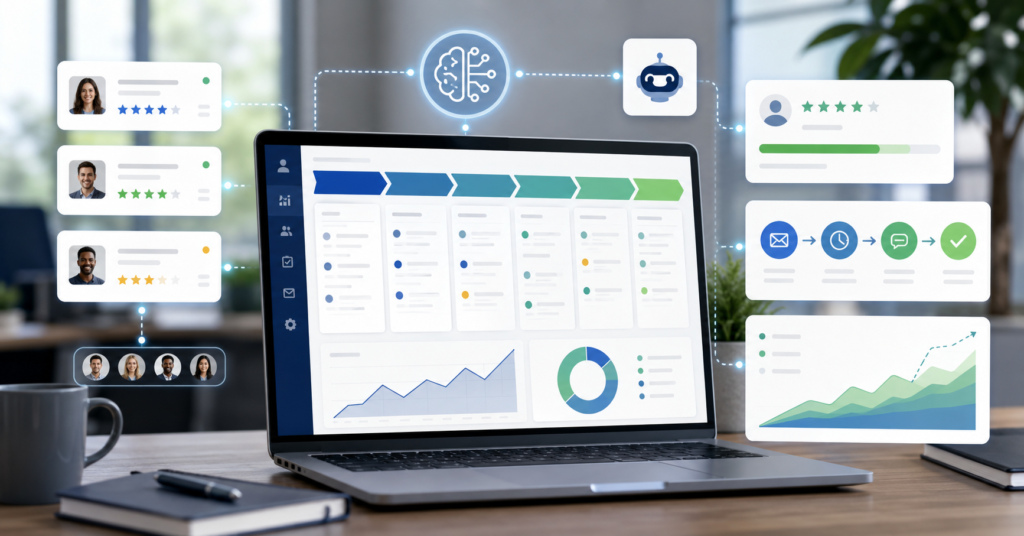
The best ai crm automation tools help sales teams reduce manual work and improve follow-up. They also help manage pipeline data with less friction. However, the right tool depends on team size, sales process, budget, and existing CRM setup.
In 2025, CRM automation is no longer only about saving clicks. It now supports lead scoring, email drafting, call summaries, forecasting, and next-step recommendations. Therefore, sales leaders need a practical comparison, not a generic list.
Why Sales Teams Still Waste Hours on Manual CRM Entry
Many sales teams still lose hours each week on manual CRM updates. Reps write notes, update deal stages, log calls, and copy email details after each conversation.
At first, this work looks small. However, repeated data entry creates a heavy cost across the whole sales team. It also reduces the time reps spend on real conversations.
The hidden cost of outdated sales workflows
Outdated workflows create three problems. First, reps enter data late.
Next, managers see incomplete pipeline reports. Finally, forecasting becomes less reliable.
For example, a rep may finish five calls in one morning. If the CRM notes stay empty until the afternoon, the manager cannot see the real deal status. As a result, the team reacts slowly.
- Manual note entry slows down follow-up.
- Missing activity logs weaken sales reporting.
- Old deal stages reduce forecast accuracy.
- Repeated admin work lowers rep focus.
- Late CRM updates create poor handoffs.
AI CRM automation helps by turning conversations, emails, and customer signals into structured data. However, it still needs a clear sales process. A messy workflow does not become strong just because AI enters the room.
Best AI CRM Automation Tools 2025: In-Depth Comparison
The top options include HubSpot, Salesforce Einstein, Zoho CRM, Pipedrive AI, and Freshsales. HubSpot fits many growing teams that want simple automation and marketing alignment. Salesforce Einstein fits larger teams that need deeper enterprise CRM intelligence.
For most small and mid-sized teams, HubSpot is the easiest starting point. For complex enterprise sales, Salesforce Einstein often deserves a closer look.
HubSpot vs Salesforce Einstein: Which Fits Your Team
HubSpot works well for teams that want CRM, email, marketing, automation, and reporting in one clean system. It helps teams manage leads, automate tasks, and create smoother follow-up flows.
I personally use this style of CRM workflow when speed and simplicity matter. HubSpot is especially useful when a team wants sales and marketing data in the same place. Explore HubSpot here: HubSpot free trial or demo.
Salesforce Einstein serves a different type of buyer. Many enterprise teams also explore Salesforce Einstein when they need broader AI support.
It can help with forecasting, account insights, opportunity scoring, and large CRM environments. Learn more here: Salesforce Einstein.
- Choose HubSpot if your team wants faster setup.
- Choose HubSpot if marketing and sales must work together.
- Choose Salesforce Einstein for complex enterprise workflows.
- Choose Salesforce Einstein for advanced CRM intelligence.
- Choose Pipedrive AI for simpler pipeline-focused sales teams.
Zoho CRM can suit budget-conscious teams that still want automation features. Freshsales can work for teams that want phone, email, scoring, and CRM in one sales platform. Pipedrive AI fits sales teams that want a visual pipeline with practical automation.
Before you compare every tool, start with your bottleneck. If reps waste time on notes, look for call summaries.
When managers struggle with forecasting, pipeline intelligence becomes the priority. If leads go cold, prioritize automated follow-up.
For a simple starting point, I personally use this HubSpot-first evaluation path for growing teams. It gives sales teams a cleaner way to test CRM automation before building a larger stack. Start here: try HubSpot or request a demo.
Mapping AI Tools to Every Stage of Your Sales Pipeline
A strong AI CRM setup maps each tool to a pipeline stage. Otherwise, teams buy software without solving the real sales problem.
Therefore, the best stack starts with the sales journey. You should map AI to lead generation, qualification, outreach, meetings, follow-up, forecasting, and retention.
From Lead Generation to Closing: An Automation Strategy
First, use AI to improve lead capture and enrichment. A CRM can collect form data, identify source channels, and help route leads to the right rep.
Next, use AI for qualification. Lead scoring can help reps decide who needs attention first. However, teams should review the scoring model often, because poor data can create weak recommendations.
- Lead generation: capture and enrich new contacts.
- Qualification: score leads based on behavior and fit.
- Outreach: draft emails and personalize follow-up.
- Meetings: summarize calls and extract next steps.
- Pipeline management: update stages and flag risks.
- Forecasting: estimate deal movement and revenue range.
- Retention: identify upsell and churn signals.
For example, a small sales team may start with AI email drafting and meeting summaries. That alone can reduce busywork. Later, the team may add lead scoring and forecast support.
On the other hand, a larger team may need stronger governance. They may need permission controls, custom reports, data quality checks, and manager review. In that case, enterprise tools may offer better control.
The main point is simple. Do not automate every stage at once.
Start with the stage that creates the most friction. Then measure whether the tool improves response time, data quality, or pipeline visibility.
Beyond Automation: Calculating the Real ROI of AI CRM Tools
ROI should not start with software price alone. It should start with the cost of lost time, missed follow-ups, poor forecasting, and weak conversion tracking.
However, ROI should stay realistic. AI may save time and improve consistency, but it does not guarantee revenue growth. Your sales process, offer, training, and data quality still matter.
How to Measure Time and Revenue Savings from AI Adoption
Start with a simple baseline. Track how much time reps spend on CRM notes, email follow-up, meeting summaries, and pipeline updates. Then compare that number after AI adoption.
For example, a rep may save time when AI drafts a follow-up email after a meeting. Another rep may save time when call notes appear inside the CRM. These gains can add up across the team.
- Measure time spent on CRM updates before adoption.
- Track follow-up speed after automation.
- Review lead response time by source.
- Compare forecast accuracy over several periods.
- Check whether deal stage data improves.
- Review adoption by each sales rep.
Next, compare the tool cost against the value of time saved. A small team may care most about hours saved. A larger team may care more about forecast accuracy, manager visibility, and consistent follow-up.
Download the free AI CRM Tool Evaluation Checklist before choosing a platform. It helps you compare features, pricing, pipeline fit, and ROI signals in one simple worksheet. Get it here: AI CRM Tool Evaluation Checklist.
This checklist helps teams avoid tool overload. It also keeps the buying process focused on real workflow problems, not feature hype.
FAQ: AI CRM Automation Tools in 2025
AI CRM automation can look complex at first. These answers explain the most common questions sales teams ask before choosing a platform.
What is the best AI CRM automation tool in 2025?
HubSpot is a strong starting point for many growing teams. It combines CRM, marketing, automation, and reporting in one system. Salesforce Einstein can fit larger enterprise teams with more complex CRM needs.
The best choice depends on your current tools, team size, budget, and pipeline process. A simple team should not buy an enterprise platform before it needs one.
Can AI fully automate CRM data entry?
AI can automate many CRM data tasks. It can summarize calls, draft notes, log activities, and suggest next steps. However, teams should still review important records.
Human review matters because sales context can be subtle. A tool may capture the words, but a rep may understand the real buying signal better.
Is HubSpot’s AI CRM automation free to use?
HubSpot has offered free CRM access and paid hubs with more advanced features. However, pricing and feature limits can change. Always check the current HubSpot plan page before choosing.
For a small team, the free or entry-level path may help with early testing. For a scaling team, paid automation features may become more useful.
How does AI improve sales pipeline forecasting?
AI can improve forecasting by analyzing deal activity, stage movement, contact engagement, and historical patterns. It may help managers spot risk earlier.
However, forecasting still depends on clean CRM data. If reps do not log real activity, the AI model has less useful information to analyze.
What is the ROI of using AI CRM automation tools?
The ROI can come from saved admin time, faster follow-up, better reporting, and improved pipeline visibility. For example, a team may save time when AI handles call summaries and task reminders.
However, no CRM tool can promise a fixed return for every business. The result depends on adoption, data quality, sales process, and team discipline.
To compare the best ai crm automation tools with less guesswork, download the free checklist here: get the AI CRM Tool Evaluation Checklist.