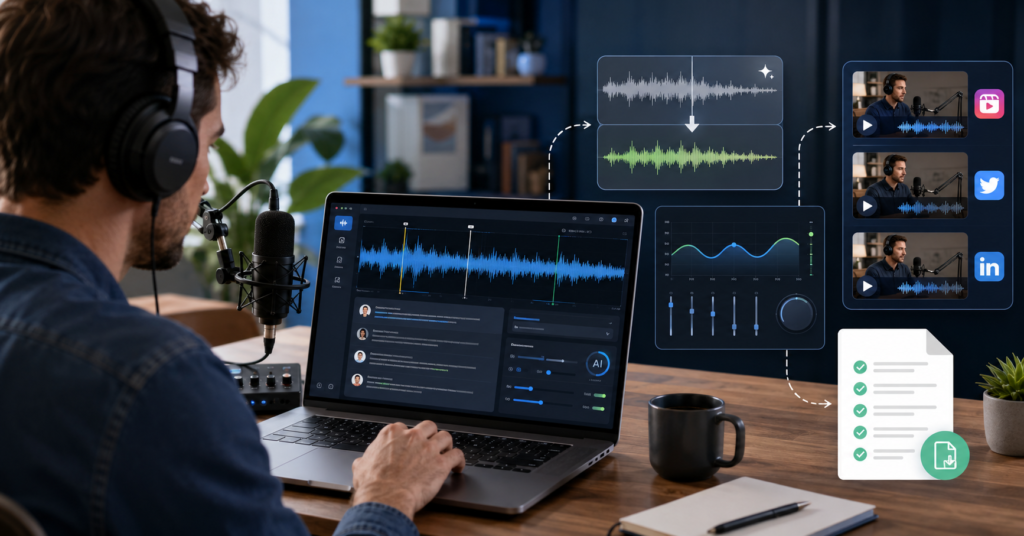
AI tools for podcast editing 2025 can help creators clean audio, edit faster, and publish with less stress. Manual editing still works. However, it often steals the hours you need for scripting, guest outreach, and promotion.
In this guide, you will see five practical tools for a modern podcast workflow. You will also learn where AI helps most and where human review still matters. Finally, you will see how to build a system that saves time every week.
Why Manual Podcast Editing is Killing Your Growth in 2025
Manual podcast editing slows growth because it turns every episode into a production bottleneck. You may record for one hour, then spend three to six hours fixing noise, pauses, filler words, volume, and clips.
As a result, many creators publish less often than they planned. They do not fail because they lack ideas. They fail because the editing workload becomes too heavy.
The hidden time cost of traditional audio cleanup
Traditional editing looks simple from the outside. You open an audio file, cut mistakes, remove long gaps, and export the episode. However, the real cost hides inside small repeated tasks.
- Noise cleanup takes focus and repeated listening.
- Filler word removal breaks your creative flow.
- Volume leveling needs careful checking.
- Transcript creation often becomes another job.
- Social clips require extra editing after the episode is done.
Therefore, AI podcast tools do not only save editing time. They also protect your energy. That matters when you publish weekly, manage guests, and build an audience at the same time.
Top AI Tools for Podcast Editing 2025 Comparison
The best AI tools for podcast editing 2025 are Descript, Adobe Podcast, Riverside, Auphonic, and Murf AI. Descript works best for text-based editing.
Auphonic helps with leveling and cleanup. Murf AI helps when you need clean voiceovers for intros, ads, or repurposed clips.
For most creators, the smartest stack starts with one main editor and one audio enhancement tool. That keeps the workflow simple and avoids tool overload.
Comparing Descript vs. Murf AI for creators
Descript and Murf AI solve different problems. Descript helps you edit spoken content like a document. Murf AI helps you create polished voice assets when you need narration, ads, or short content support.
First, Descript fits podcasters who want faster episode editing. You can edit words in the transcript, remove filler words, and prepare clips from one workspace. I personally use this style of workflow when I need to turn a long recording into a cleaner draft faster.
Start here: Descript.
Next, Murf AI fits creators who need voiceovers without recording every line again. For example, you can create a clean intro, sponsor message, or short-form narration. I personally use this approach when I want consistent voice assets across podcast clips.
Try it here: Murf AI.
- Choose Descript if your main problem is editing recorded conversations.
- Choose Murf AI if your main problem is creating polished voice content.
- Choose Auphonic if your main problem is leveling and audio cleanup.
- Choose Riverside if your main problem is recording quality.
- Choose Adobe Podcast if your main problem is quick speech enhancement.
In most cases, Descript should be the first tool for a solo creator. It connects editing, transcript cleanup, and content repurposing in one place. Murf AI becomes stronger when your podcast also feeds YouTube, TikTok, Instagram, or paid content.
Must-Have Features for AI-Driven Audio Workflows
A good AI podcast workflow needs more than one flashy feature. It needs a clear path from raw recording to published episode. Otherwise, you will save time in one step and lose it in another.
Therefore, you should judge every tool by the workflow it creates. The best tool should reduce decisions, not add more tabs to your browser.
How automated transcription changes the game
Automated transcription changes editing because it turns audio into visible text. Instead of hunting through waveforms, you scan the transcript and cut the section you do not want.
This feature matters most for interview podcasts. You can find weak answers, repeated phrases, and strong quotes faster. As a result, you edit with context instead of guessing from audio shapes.
- Text-based editing helps you cut mistakes faster.
- Filler word removal speeds up cleanup.
- Speaker labels help with interview structure.
- Searchable transcripts help you find strong quotes.
- Clip export helps you promote each episode.
However, AI still needs human review. You should check names, brand terms, guest titles, and sensitive claims before publishing. AI can speed up the process, but your judgment protects quality.
Noise removal also plays a major role. AI tools can identify steady background sounds and reduce them. For example, they can soften hums, fans, keyboard taps, and room echo.
Still, clean recording habits matter. Good microphone distance and a quiet room will always improve the final result.
Finally, look for export options. A strong workflow should help you create the full episode, transcript, show notes, and short clips. This turns one recording into several content assets.
How to Set Up a Profitable AI Content System
A profitable podcast system does not stop at editing. It turns each episode into traffic, trust, and email subscribers. That is where AI gives creators a real business advantage.
First, build a simple weekly workflow. Record one strong episode. Clean the audio.
Create a transcript. Pull three short clips. Then send listeners to one useful free resource.
Build a repeatable workflow from one episode
Your goal is not to use every tool. Your goal is to publish more often with less friction. A simple system beats a complex stack that you never finish.
- Record one core episode each week.
- Edit the episode with your main AI editor.
- Clean the sound with an audio enhancement tool.
- Create show notes from the transcript.
- Export short clips for social media.
- Send listeners to your email list.
At this stage, your email list becomes the asset. Podcast platforms control reach.
Social platforms control algorithms. However, your email list gives you a direct channel to your audience.
To make that easier, offer a free AI podcast workflow checklist PDF. It should show your recording, editing, publishing, and repurposing steps on one page. Get the free checklist here: free AI podcast workflow checklist PDF.
This CTA works because it matches the reader’s problem. They do not only want a tool list.
They want a faster system. Therefore, a checklist feels useful before they buy anything.
You can also connect affiliate offers to this workflow. However, keep the recommendation honest.
Place the tool where it solves a real problem. That builds trust and improves long-term conversion.
FAQ: Everything You Need to Know About AI Audio
AI podcast editing raises practical questions. Here are the answers creators usually need before they choose a tool.
What is the best AI tool for podcast editing in 2025?
Descript is the best starting point for many podcast creators in 2025. It combines transcript editing, filler word cleanup, screen recording, and clip creation. That makes it useful for solo creators and small content teams.
Can AI fully automate podcast editing?
AI can automate many editing tasks, but it should not replace final review. It can remove filler words, reduce noise, level audio, and create transcripts. However, you should still check flow, tone, names, claims, and guest context.
How does AI remove background noise from podcast audio?
AI noise removal studies the audio and separates speech from unwanted sound patterns. Then it reduces sounds like hum, fan noise, echo, or keyboard taps. Better source audio still creates a better final result.
Is Descript free for podcast editing?
Descript has offered a free entry plan, but plan limits can change. Check the current pricing page before you decide. For serious publishing, paid plans usually make more sense because they unlock higher limits and stronger workflow features.
How much time can AI save compared to manual podcast editing?
AI can save several hours per episode for many creators. The exact number depends on episode length, audio quality, and editing style. If you publish weekly, even two saved hours per episode becomes a major advantage over time.
Start with one core editor, one audio cleanup tool, and one email capture offer. Then repeat the same workflow every week. Get the free AI podcast workflow checklist PDF here: download the checklist.
AI tools for podcast editing 2025 give creators a faster way to clean audio, edit episodes, and repurpose content. When you use them inside one simple system, you save time and turn your podcast into a real growth engine.