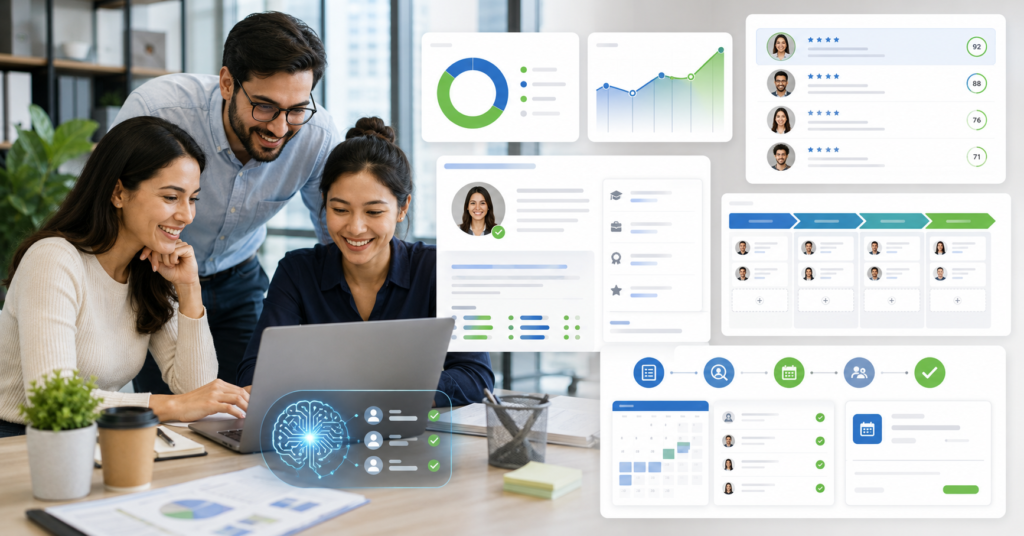
Finding the best AI recruiting software for small business feels harder than the hiring itself sometimes.
Small HR teams need speed, clean data, and fair screening — without the bloat of enterprise systems.
However, the right tool turns a messy hiring process into something your team can actually repeat.
I have watched lean teams burn hours moving resumes, rewriting the same emails, and chasing hiring managers for feedback.
Therefore, this guide only covers tools that small teams can actually set up and use this week.
Why HR Teams Need AI Recruiting Software Now
Applicant volume keeps rising. Recruiter time does not.
The best AI recruiting software for small business brings sourcing, screening, tracking, and follow-up into one place.
Manatal is where most small teams should start — it balances AI screening, ATS workflows, and pricing that does not require CFO approval.
However, agencies may find Recruit CRM a stronger fit when client management matters as much as candidate management.
Solving the Challenges of High-Volume Recruitment
High-volume hiring creates three painful problems for small HR teams.
First, strong candidates disappear inside large resume piles before anyone reads them.
Next, hiring managers ask for updates before recruiters finish their first screen.
Finally, good applicants ghost when follow-up takes too long.
AI recruiting tools fix this by reading resumes, matching skills, and ranking candidates faster than any spreadsheet.
Also, they keep recruiter notes, emails, and pipeline stages in one shared view.
- Resume parsing removes manual data entry from the equation.
- Candidate matching helps recruiters build stronger shortlists.
- Automated emails keep applicants engaged during the wait.
- Pipeline views show every open role at a glance.
In fact, small teams often gain the biggest lift from simple automation.
They do not need a giant HR platform to improve hiring outcomes.
As a result, recruiters spend more time judging fit and less time cleaning data.
Top AI Recruiting Platforms for Growing Teams Using the Best AI Recruiting Software for Small Business
Growing teams should choose tools that improve sourcing, screening, and collaboration together.
However, avoid software that needs months of setup before delivering any value.
For example, Manatal works well when a company wants AI features inside a clean ATS without a steep learning curve.
It handles candidate sourcing, resume parsing, AI recommendations, and CRM workflows in one dashboard.
Therefore, it suits small businesses hiring across multiple roles each month.
Start your Manatal free trial for automated recruiting and see how much time your team saves in the first week.
Also, review our related anchor text before locking in a platform decision.
Leveraging Automated Sourcing and Screening Workflows
A strong AI recruiting workflow starts before resumes ever hit the inbox.
First, define the role clearly — must-have skills, deal breakers, and team fit signals.
Next, the tool sources or imports profiles from job boards and talent databases automatically.
Then AI scoring shows which candidates deserve immediate attention.
However, I do not recommend letting AI make the final call on anyone.
Use scores as a first pass filter, not a hiring verdict.
- Best for internal HR teams: Manatal.
- Best for recruitment agencies: Recruit CRM.
- Best for simple hiring pipelines: Workable.
- Best for budget ATS needs: Zoho Recruit.
- Best for employer branding: Greenhouse.
Additionally, smaller teams should value usability over feature count every time.
A tool only helps when recruiters open it every single day.
As a result, clean dashboards often outperform complex enterprise systems for teams under twenty people.
Best Budget-Friendly AI Tools for Recruiters
Budget-friendly recruiting software should save time before it adds another monthly line item.
Therefore, measure cost against hours saved per open role — not against the feature list PDF.
Recruit CRM is a strong choice for agencies that need ATS and CRM inside one system.
It manages candidates, clients, emails, job postings, and recruiting analytics without switching tabs.
Also, its AI resume parsing and candidate matching cut early screening time noticeably.
Optimize your agency workflow with Recruit CRM and track the difference against your current process.
Balancing Cost and Performance for SMBs
Small businesses should not buy AI recruiting software because it looks impressive in a demo.
Instead, test how it improves one real hiring workflow before committing to a plan.
For example, run one open sales role from application to interview booking entirely inside the tool.
Then compare the old process against the new one with honest numbers.
- Total resumes reviewed manually.
- Candidates moved to first interview.
- Speed of follow-up emails.
- Hiring manager comments captured inside the system.
In fact, those four numbers tell you more than any feature checklist ever will.
However, price still matters for SMB teams running lean budgets.
A cheap tool becomes expensive fast when recruiters still need three spreadsheets beside it.
Therefore, the best budget tool should replace manual work — not just sit next to it.
For most small companies, prioritize resume parsing, candidate ranking, email sync, and reporting.
For agencies, add client pipelines, deal tracking, and contact management to that list.
As a result, Recruit CRM fits agency workflows better than most broad HR platforms.
Also, agencies should watch reporting closely — clients always ask for pipeline proof eventually.
Key Features to Look for in AI Recruitment Software
The right features depend on your hiring model, team size, and monthly recruiting volume.
However, every small business needs a few non-negotiable capabilities.
First, the system should parse resumes accurately and create searchable candidate profiles automatically.
Next, it should rank candidates against clear job requirements without manual sorting.
Additionally, it should support email, calendar, job posting, and hiring manager collaboration in one place.
Finally, reporting should show source quality, time-to-hire, and where candidates drop off.
Get the full breakdown here: Download our free AI Recruiting Toolkit.
Ensuring Seamless Integration with HR Workflows
AI recruiting software fails when it lives outside the daily HR work your team already does.
Therefore, integration matters more than any flashy AI label on the homepage.
For example, email threads should sync automatically — not require manual copy-paste between tools.
Also, interview scheduling should connect directly with the calendar tools your team already uses.
Hiring managers should leave feedback inside the same candidate record, not in a separate chat thread.
As a result, everyone on the team sees the same hiring picture at the same time.
- ATS pipeline stages visible for every open role.
- CRM records for agencies managing multiple client accounts.
- Resume parsing with fully searchable candidate data.
- AI matching with criteria your team can adjust.
- Email templates and follow-up automation built in.
- Reporting that shows actual recruiter output — not vanity metrics.
However, small teams should check one hard requirement before signing anything.
The tool should reduce real work during the first month of use.
If that answer feels unclear after the trial, keep testing before upgrading to a paid plan.
Additionally, assign one recruiter to own the trial and write down every friction point daily.
FAQ: Essential Questions About AI in Recruiting
These questions come from real conversations with HR teams and agency recruiters during software evaluations.
Therefore, the answers stay focused on practical selection — not vendor hype.
Expert Answers Based on Real Recruiter Feedback
What are the best AI tools for recruiters?
Manatal, Recruit CRM, Workable, Zoho Recruit, and Greenhouse are the strongest options right now.
However, the best pick depends entirely on your hiring model.
Internal HR teams usually need ATS speed and manager collaboration above everything else.
Agencies typically need CRM depth, client tracking, and placement workflow support.
How is AI used in HR recruiting?
AI helps recruiters parse resumes, rank candidates, write job descriptions, and draft outreach messages faster.
Also, it can summarize candidate profiles and surface possible matches your team might miss.
However, HR teams should still own the context, culture fit assessment, and final interview quality review.
What AI tool can screen resumes faster?
Manatal is a strong option for small teams that need quick, accurate resume screening.
Recruit CRM handles screening well for agencies that also need client workflow support alongside it.
For example, both tools support AI-assisted parsing and candidate matching out of the box.
What are the best AI recruitment platforms for agencies?
Recruit CRM is the clearest agency-first choice because it combines ATS and CRM in one system.
Also, Manatal can work well for smaller agencies that want fast setup without heavy configuration.
Therefore, agencies should test candidate management and client reporting depth before making a final call.
Which AI tools are recommended for recruitment agencies?
I recommend Recruit CRM first for agencies actively managing client pipelines alongside candidate pipelines.
Next, Manatal works well for smaller agencies that want a fast, clean setup over deep customization.
Finally, whichever tool your recruiters actually open every morning is the right answer for your team.
Recruiting software selection should never start with a feature comparison spreadsheet.
Start with your biggest hiring bottleneck, then find the tool that removes it.
For most lean teams, the best AI recruiting software for small business is simply the one that improves screening speed this week — not next quarter. Also, join our newsletter for practical AI hiring templates and weekly recruiter workflow tips.