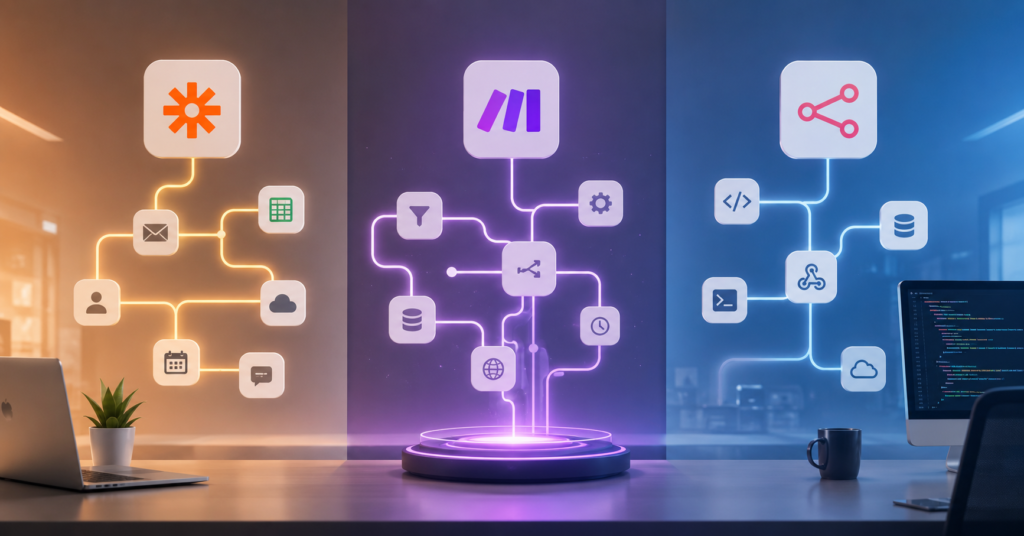
Honestly, if you’re still manually copying data between apps in 2026, you’re burning hours you don’t have. Every repetitive task you do by hand is time not spent on the work that actually moves the needle — and the gap between automated businesses and manual ones is getting wider by the month.
That’s probably why you landed here. You’ve heard of Zapier vs Make vs n8n, but choosing the wrong one can mean wasted setup time, unexpected monthly bills, or workflows that half-work and frustrate you every week.
By the end of this post, you’ll have a clear answer — not just a feature list, but an actual recommendation based on your starting point, budget, and how technical you’re willing to get.
Why You Need AI Automation in 2026
Solving Manual Workflow Bottlenecks
Most businesses bleed hundreds of hours every year on tasks that look small in isolation. Copying customer data, sending follow-up emails, updating spreadsheets, posting social content — none of it is hard, but all of it adds up fast.
Automation tools cut through that by connecting your apps so they talk to each other. When a customer fills out a form, a properly set-up automation can handle all of this at once:
- Create a CRM contact
- Send a welcome email
- Notify your team in Slack
- Generate an invoice
- Store the data in Google Sheets
No copy-paste. No delays. No human error from someone having a bad day.
Scaling Business with AI Efficiency
The real advantage isn’t just saving time — it’s what you can do with that time instead. Small teams are now running operations that used to require entire departments, simply because their workflows are automated end to end.
This matters especially for:
- Content creators juggling multiple platforms
- E-commerce shops processing daily orders
- Agencies managing client deliverables
- Freelancers doing admin work that doesn’t pay
- Developers building internal tooling
The gap between businesses that automate early and those that don’t tends to compound quickly. That’s the actual reason this comparison matters right now.
Zapier: The Leader in Easy Integrations
User-Friendly Interface for Beginners
Zapier is still the easiest place to start in 2026 — and it’s not particularly close. The interface is built for people who want automation working by end of day, not end of week.
The core logic is simple: trigger → action. Something happens in one app, and Zapier automatically does something in another. For example:
- New Gmail email arrives → create a Trello card
- Typeform response submitted → send a Slack alert
- Stripe payment confirmed → add a row to Google Sheets
No code. No setup headaches. Users with zero technical background can have their first automation running in under fifteen minutes. Zapier also now includes AI-powered suggestions that recommend workflow setups based on the apps you already use — a genuinely useful feature for anyone starting from scratch.
Massive Library of 6,000+ Apps
Zapier’s biggest edge is breadth. Over 6,000 integrations means that whatever stack you’re running, Zapier almost certainly supports it. Google Workspace, Slack, HubSpot, Shopify, Notion, Airtable, OpenAI, Stripe — all covered without needing custom API work.
The tradeoff is cost. As your workflows get more complex and your task volume climbs, Zapier’s pricing climbs with it. Multi-step automations at scale can get expensive in a way that catches people off guard.
A marketing agency owner I came across mentioned that Zapier cut their client onboarding from 45 minutes down to under five. That kind of efficiency is real — and for most people getting started, the cost is still worth it at the early stage.
If you’re new to automation and just want something running this week, this is still where I’d point you first.
Start building your first Zapier automation here
Make: Visual Logic and Flexibility
Advanced Visual Workflow Builder
Make has earned a strong following among intermediate users, and the main reason is its canvas-based workflow editor. Instead of Zapier’s linear step-by-step setup, Make lets you visually map out how data flows — with routers, conditions, filters, and branches all visible on screen at once.
That visual approach unlocks automations that simply aren’t possible in Zapier’s standard interface:
- Conditional logic that splits paths based on data values
- Multi-app branching workflows
- Advanced scheduling and error handling
- Dynamic data transformation mid-workflow
For people who think visually, Make often clicks faster than Zapier’s text-heavy setup — even though it has a steeper initial learning curve.
Cost-Effective Scaling for Power Users
Make is substantially cheaper than Zapier at volume. Businesses running thousands of operations per month regularly cut their automation costs significantly by switching.
The pricing model is different too — Make charges per operation rather than per task, which tends to favor complex multi-step workflows over simple one-action automations.
Beginners may feel a bit lost at first. The interface has more moving parts, and the terminology assumes some familiarity with workflow logic. But for anyone who’s outgrown Zapier’s simplicity, Make is usually the next natural step.
| Feature | Zapier | Make | n8n |
|---|---|---|---|
| Ease of Use | Excellent | Moderate | Advanced |
| Visual Workflow Builder | Basic | Advanced | Developer-focused |
| Scalability | Moderate | Strong | Very Strong |
| Customization | Limited | High | Extreme |
| Best User Type | Beginners | Intermediate Users | Developers |
n8n: The Power of Self-Hosted Customization
Ultimate Data Privacy and Control
n8n occupies a different category from Zapier and Make. The core difference: you can host it yourself, on your own server, with your own rules.
For businesses handling sensitive customer data, regulated industries, or teams where third-party data storage is a real concern, this matters a lot. Running n8n self-hosted means:
- Your data doesn’t leave your infrastructure
- No dependency on another company’s uptime or pricing decisions
- Full control over customization and integrations
- Lower long-term operating costs at high volume
That combination of privacy and cost control is why n8n has grown quickly among technical teams over the past two years.
Developer-Centric Node-Based Logic
n8n is genuinely built for developers. You can manipulate JSON directly, write JavaScript logic inside nodes, build custom integrations, and connect to virtually any API without working around platform restrictions.
It functions less like a typical SaaS tool and more like a programmable automation layer you own and control. The tradeoff is a real one — self-hosting requires server setup, maintenance, and troubleshooting when things break.
For developers, that’s usually a fair trade. The limitations that Zapier and Make impose — on data handling, workflow logic, and pricing at scale — simply don’t exist in the same way inside n8n.
Who Should Use Which?
Best Recommendation for Small Businesses
For most people starting out, Zapier is the right call. It gets out of your way and lets you automate quickly without learning curve friction.
Once you hit the ceiling on Zapier — either in workflow complexity or cost — Make is almost always the next step. It handles advanced logic without requiring developer-level knowledge.
Developers, technical founders, and teams with privacy requirements should look seriously at n8n. It takes more work upfront, but the payoff in flexibility and long-term cost is significant.
| User Level | Best Platform | Main Reason |
|---|---|---|
| Beginner | Zapier | Fastest learning curve, lowest friction |
| Intermediate | Make | Visual flexibility with manageable pricing |
| Developer | n8n | Full customization, self-hosting, no ceilings |
Best Choice for Enterprise Developers
Plenty of developers start with Zapier or Make, then gradually move toward n8n once they hit the ceiling on flexibility or cost. It’s a common progression — and makes sense given how the tools are positioned.
Enterprise teams favor n8n because infrastructure control becomes more important at scale. Custom API integrations, internal systems, and complex logic are all easier to manage when you’re not working within a SaaS platform’s constraints.
Agencies and growing startups, meanwhile, often land on Make as their long-term tool — powerful enough to grow into, but still manageable without dedicated engineering resources.
Explore n8n and start building advanced workflows here
Free Bonus: Download our free AI Automation Workflow Template PDF — proven automation systems for content, marketing, and business operations, ready to copy and use immediately.
| Monthly 1,000 Tasks Scenario | Zapier | Make | n8n |
|---|---|---|---|
| Estimated Monthly Cost | $29–$49 | $10–$18 | $0–$20 |
| Workflow Complexity Support | Moderate | High | Extreme |
| Hosting Included | Yes | Yes | Optional |
| Best Value For | Beginners | Growing Businesses | Developers |
The cost difference is where Zapier loses a lot of users long-term. At low volume it’s fine. At scale, Make or n8n almost always works out cheaper — sometimes significantly so.
Make wins on the balance between power and accessibility. n8n wins on pure capability for technical users who can manage the infrastructure side.
Frequently Asked Questions (FAQ)
Which is better, Zapier or Make or n8n?
It depends on where you’re starting. Zapier is best for beginners who want fast results without technical setup. Make is the strongest option for intermediate users who need flexible, visual workflows. n8n is built for developers who want advanced customization and full infrastructure control.
Is n8n better than Zapier for developers?
Yes, for most developer use cases. n8n offers self-hosting, direct JavaScript support, API flexibility, and workflow logic that goes well beyond what Zapier’s interface allows. The tradeoff is that setup takes more effort upfront.
Which automation tool is best for beginners in 2026?
Zapier is still the easiest entry point in 2026. Its interface is designed specifically for non-technical users, and with over 6,000 integrations, it supports nearly every common app stack without requiring custom configuration.
What’s the biggest difference between n8n, Make, and Zapier?
The core difference is the tradeoff between simplicity and control. Zapier optimizes for ease and speed. Make adds visual workflow power with reasonable pricing. n8n prioritizes developer-level flexibility — including the option to run the whole thing on your own server.
What does n8n have that other platforms like Make and Zapier do not?
Self-hosting is the biggest differentiator. n8n lets you run workflows entirely within your own infrastructure, which matters for data privacy, cost control at high volume, and customization that cloud-only platforms can’t match.
Short version for 2026: Zapier if you want to be up and running today. Make if you want real flexibility without going full developer-mode. n8n if you know what you’re doing and want zero limitations on what you can build.
Businesses that get their automation layer right early tend to compound that advantage over time — and that’s exactly why the Zapier vs Make vs n8n decision is worth thinking through carefully rather than just picking whatever looks familiar.
Want more automation strategies? Join our email list to get free AI workflow templates, step-by-step automation guides, and practical scaling tutorials delivered every week.