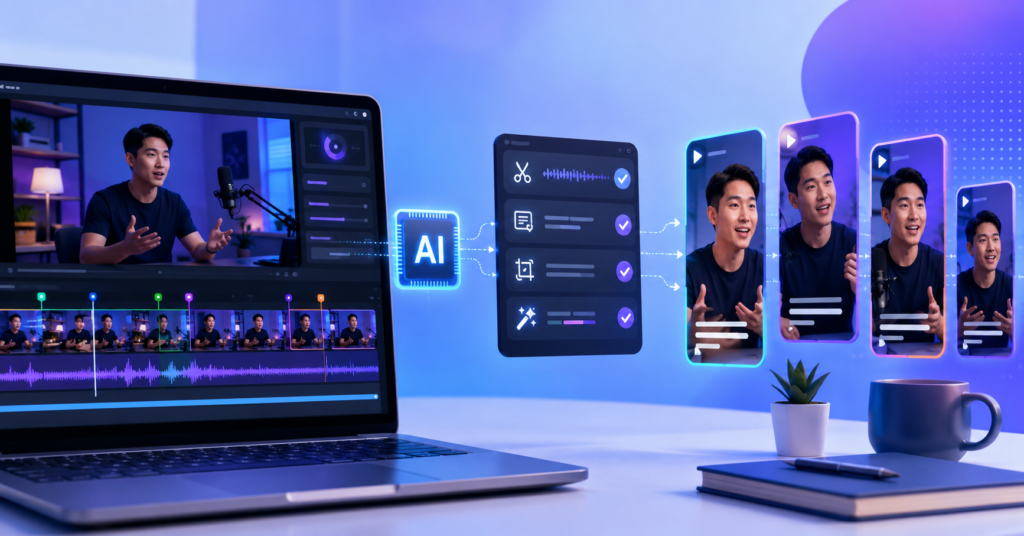
You already have the content. The problem is time. If you record podcasts, webinars, tutorials, or interviews, you know exactly what I mean — one long video can hide twenty solid short clips, but finding them by hand is brutal. That’s why more creators are turning to AI tools to repurpose long videos into shorts. The right tool scans your footage, spots the strongest moments, adds captions, fixes the frame, and gets you ready to post across YouTube Shorts, TikTok, Instagram Reels, and LinkedIn — without sitting through the whole recording again.
This guide walks through how these tools actually fit into a real creator workflow. You’ll see what AI handles well, where you still need to make the call yourself, how to pick the right option for your setup, and how to turn all that saved editing time into more content, better reach, and a monetization system that compounds.
Why Are AI Tools to Repurpose Long Videos Into Shorts Worth Using?
AI tools to repurpose long videos into shorts are worth using because they cut out the slowest parts of editing. They help you find highlight moments, trim clips, add captions, reframe shots, and get short-form content ready faster than you ever could manually.
The hidden cost of editing long-form content manually
Manual repurposing sounds manageable until you’re doing it every week. Watch the full video. Find the good moments. Cut each section. Strip dead air. Add captions. Reframe for vertical. Write titles. Export. Upload. Repeat. A 40-minute podcast episode can quietly eat four or five hours of your week.
That cost adds up fast, and it creates a second problem. Plenty of creators record solid long-form content and never turn it into shorts — not because the content isn’t there, but because the editing feels too heavy. Good footage sits unused. AI solves part of that by giving you a usable first draft in minutes instead of hours.
- AI detects speaker changes and flags strong moments automatically.
- AI suggests short clips directly from long footage.
- AI adds captions without manual typing.
- AI resizes horizontal video into vertical format.
- AI lets you test more short-form angles from a single recording session.
The smartest way to use AI here isn’t to publish everything it spits out. It’s to let AI do the heavy scan, then use your own eye to pick the clips with the strongest hook, the clearest point, and the best match for your audience. AI finds the material. You decide what’s worth posting.
Top AI Tools to Automate Your Shorts Workflow
The best AI tools for short-form repurposing usually bundle clip detection, auto-captions, smart cropping, and fast export into one place. For most creators, the most useful tool isn’t the most feature-rich one — it’s the one that actually saves time without wrecking the quality of what you put out.
How to transform podcasts into viral clips in seconds
Podcast creators have one of the clearest use cases for AI repurposing. A long conversation almost always contains strong opinions, emotional moments, surprising lessons, or punchy short answers that work as standalone clips. AI can scan the full episode and surface those moments based on speech patterns, topic shifts, and audience-friendly signals — things that would take you real time to find by ear.
Here’s a simple workflow that actually holds up. Upload the full episode. Let the tool suggest 10 to 20 clips. Cut the weak ones immediately. Keep only moments where the hook lands in the first few seconds. Add captions. Export in vertical. Then publish your strongest three to five clips across YouTube Shorts, TikTok, and Instagram Reels.
I’ve been using this tool whenever I need to move fast on a long-form to short-form turnaround — especially when one recording has several solid highlight moments buried inside it. It saves me from scrubbing through the same footage twice just to find clips I already half-remembered. You can try the AI repurposing tool here if you want a real shortcut for turning long videos into shorts.
That said, don’t publish every clip the AI selects. Some clips are technically clean but emotionally flat. A short that actually performs needs a real reason to keep watching. The first three seconds should create curiosity, tension, surprise, or a clear useful promise. AI gives you material. Your gut tells you which clips are worth anyone’s attention.
- Use AI to surface possible clips — not to make final decisions.
- Only keep clips with a strong opening hook.
- Rewrite any captions that feel generic before publishing.
- Check that each short makes sense on its own, without context from the full video.
- Track which clips actually drive viewers back to your long-form content.
How Should You Optimize Shorts for YouTube, TikTok, and Reels?
You should optimize each short based on the specific platform where it lives. YouTube Shorts can support channel discovery, TikTok tends to reward fast hooks and bold ideas, and Instagram Reels often performs better with clean visuals and a clear emotional throughline.
Features that make AI tools effective for multi-platform creators
A solid AI video editor should do more than cut clips. It should help you prep each one for the platform where it’s going to actually land. YouTube Shorts needs topic relevance, strong retention, and a reason for viewers to click over to your channel. TikTok rewards fast reactions, direct hooks, and repeatable formats. Instagram Reels often needs cleaner visuals and captions that don’t fight for attention.
Smart resizing matters more than most creators realize. Most long videos are horizontal. Most short-form platforms are vertical. A good AI tool keeps the speaker centered, follows faces through the frame, and avoids the kind of awkward cropping that makes even sharp content look rushed. Bad reframing undercuts the clip before anyone watches a second of it.
Captions are non-negotiable. A large share of viewers watch without sound — especially on mobile in public places. Clean captions help them follow along and make the clip feel intentional. But captions shouldn’t cover faces, products, or anything visually important. The best captions disappear into the content rather than competing with it.
- For YouTube Shorts, anchor the clip to your main channel topic so new viewers know what you’re about.
- For TikTok, tighten the opening — make it faster and more direct than it feels comfortable.
- For Instagram Reels, prioritize clean framing and polished captions over raw energy.
- For LinkedIn, pull clips from interviews, webinars, or anything that reads as expertise.
- For every platform, ask: does this short make sense if someone has never heard of you before?
Don’t copy-paste the same caption to every platform without thinking. The same clip might need a curiosity-driven line on YouTube, a harder emotional hook on TikTok, and a more professional angle on LinkedIn. The clip can stay the same. The framing around it shouldn’t.
What Is the Best Beginner Workflow for AI Video Editing?
The best beginner workflow is simple: take one long video, let AI suggest clips, pick your five strongest, polish the top three, and publish on one or two platforms first. Beginners who skip the data phase and build complex systems early almost always waste time and lose momentum.
How beginners can avoid editing overwhelm
Most beginners hit the same wall. They try to build a perfect editing system before they have any data. They test five tools, add effects that don’t matter, and spend hours on small polish decisions that won’t change what the audience actually watches. Simpler beats fancier, almost every time at the start.
Pick one repeatable process and run it. Choose one long video. Let AI surface clip suggestions. Select only the ones where the opening line is already strong. Add captions. Cut dead pauses. Make sure each clip has one clear idea — not a setup, not a transition, just the point. Then publish and look at the numbers honestly.
I’ve been using this tool specifically for beginner-friendly AI editing because it handles the hardest early steps — cutting, captioning, and resizing — without needing you to already know what you’re doing. It’s the right tool when you want to build momentum before you invest time learning a full professional editing stack. You can check the beginner AI editing tool here if you want a faster way to get started.
The most important rule for beginners: don’t chase clean editing before you know what your audience actually watches. A rough clip with a strong idea will beat a polished clip with no hook almost every time. Your first goal isn’t cinematic quality. Your first goal is finding the topics and formats your specific audience shows up for.
- Start with one long video, not your whole archive.
- Generate AI clip suggestions, then narrow fast — don’t overthink it.
- Pick three clips maximum to polish for your first round.
- Add captions and clean the pacing, then stop fiddling.
- Publish, then compare retention, views, and comments before doing it again.
Once a topic or format starts pulling numbers, repeat it. AI editing becomes genuinely powerful after you know what your audience responds to — because then you’re not guessing anymore. You’re scaling something that already works.
How Can Creators Monetize Repurposed Short-Form Content?
Creators monetize repurposed short-form content by using shorts as a discovery engine. When the content matches a real audience need, those shorts can pull new viewers into long videos, email lists, affiliate offers, digital products, services, and paid communities.
How to use saved time to scale your content marketing revenue
The biggest thing AI repurposing gives you isn’t faster editing. It’s leverage. One long video becomes multiple clips, and each clip can point viewers toward something with more depth — a full tutorial, a product review, a newsletter, a course, a consulting offer, or an affiliate recommendation. That chain is where the revenue actually comes from.
Short-form views alone rarely build sustainable income. You need a next step that matches what the viewer just watched. If the short teaches one quick editing trick, the next step might offer a full AI video workflow checklist. If the short compares tools, the next step might lead to a detailed review with an affiliate link attached. The clip earns attention. The next step earns trust. Trust earns revenue.
Want a faster setup? Download the free AI video toolkit PDF — a simple checklist for turning long videos into short clips, choosing hooks, writing captions, and building a weekly publishing routine you can actually stick to. Get it here: download the free AI video toolkit PDF.
For most creators, the cleanest monetization path looks something like this: long-form content builds trust, shorts reach new audiences, email keeps the relationship alive, and affiliate links or digital products generate revenue. AI increases the number of useful clips you can publish each week without increasing your editing workload at the same rate. That’s the real leverage.
- Turn one long video into several short clips consistently, not occasionally.
- Use each short to test hooks and topics before investing more time in them.
- Offer a useful free resource to turn viewers into email subscribers.
- Build your list from your best content, not your most polished content.
- Recommend tools and products that actually match the viewer’s real problem — don’t force it.
Skip the hard sell inside the clip itself. Content that helps first earns the right to recommend second. When a viewer already trusts your judgment, the offer feels like a natural extension of the advice — not an interruption. That’s the difference between content that converts and content that just gets watched.
Frequently Asked Questions about AI Video Editing
AI video editing can speed up your workflow significantly, but it still needs a clear direction to work well. Here are honest answers to the questions creators ask most before committing to AI tools for short-form content.
Expert answers to common AI video editing concerns
What is the best AI video editing tool for content creators?
It depends on your workflow. If you mainly repurpose podcasts, interviews, or webinars, prioritize tools with strong clip detection, reliable auto-captions, and clean vertical resizing. If you’re building social content from scratch, look for templates, brand controls, and fast export. There’s no single best tool — there’s the right tool for the kind of content you actually make.
Can AI edit videos automatically for YouTube Shorts?
Yes, AI can handle much of the editing process for YouTube Shorts — suggesting clips, cutting sections, adding captions, and resizing to vertical. But you should always review the final clip yourself. The AI doesn’t know which hook will actually hold attention. You do.
Which AI video editor is best for repurposing long-form content?
Look for a tool that finds highlights, generates vertical clips, adds captions, and lets you export fast. The right choice depends on what you’re repurposing — podcasts, tutorials, webinars, interviews, and product videos each have slightly different requirements. Match the tool to your actual content type, not a top-ten list.
Has anyone found an all-in-one tool for video editing that actually works well?
Some all-in-one AI tools work well for basic repurposing, captioning, resizing, and publishing. Most professional creators still add a human review pass before anything goes live. The best setup uses AI for speed and human judgment for the final filter. Neither replaces the other.
Do AI video makers actually work well for professional-level editing?
AI video tools handle repetitive tasks well — repurposing, captions, rough cuts, resizing. For high-end brand films, complex storytelling, or advanced motion design, professional editing still matters. Where AI helps most is removing the grunt work so you can focus your creative energy on the decisions that actually change the outcome.
At the end of the day, the best use of AI tools to repurpose long videos into shorts is as a speed engine, not a replacement for strategy. Let AI find the clips, generate the captions, and handle the formats. Then use your judgment to pick the strongest hooks, sharpen the message, and build a system that sends viewers toward your long-form content, email list, affiliate offers, or digital products. To set that system up faster, grab the free AI video toolkit here: get the free AI video toolkit.