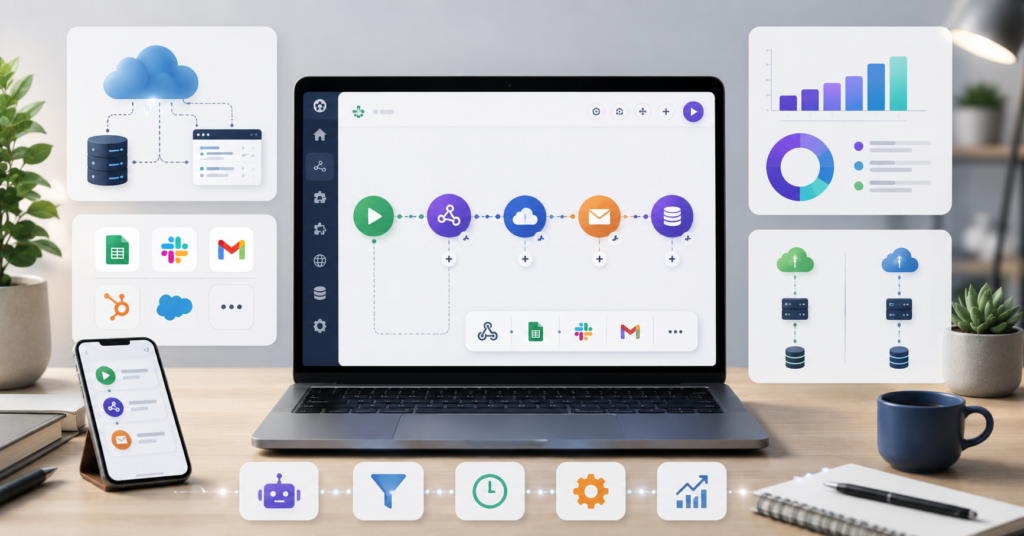
If you’ve been searching for the best free zapier alternatives in 2026, I’m guessing you already know the frustration. You set up a few automations, things run smoothly for a while, and then one month your Zapier bill jumps and you realize the task-based pricing model quietly caught up with you.
I’ve been there. And honestly, 2026 is a much better time to switch than it was two or three years ago. There are real alternatives now — tools built for self-hosting, unlimited workflows, AI integrations, and teams that don’t want surprise invoices. This guide covers what actually works, not what looks good in a feature comparison table.
Why Zapier Is Too Expensive for Small Businesses
Why do so many users leave Zapier after scaling? Because the pricing model works great until it doesn’t.
Small automations feel affordable. But once you start stacking workflows together — leads, notifications, spreadsheets, CRM updates, AI summaries — tasks add up faster than most people expect.
The Hidden Costs of Task-Based Pricing
Here’s a scenario that’s more common than Zapier’s pricing page would like you to think about. You build one automation for a new lead coming in:
- Lead submits a form
- Gets added to Google Sheets
- Email notification fires
- Slack message goes out
- CRM contact gets created
- AI summary gets generated
That’s one “automation” — but it burns through multiple tasks every single time. Run that a few hundred times a month and your costs are nothing like what you planned for.
Why Scaling Workflows Creates Budget Problems
The uncomfortable part isn’t just the price. It’s the unpredictability. The more useful your automations become, the more tasks they consume. Growth punishes you instead of rewarding you.
That’s the core reason people started looking hard at self-hosted tools, open-source platforms, and Zapier alternatives with more predictable pricing structures. It’s not about being cheap — it’s about not being penalized for building something that actually works.
Best Free Zapier Alternatives in 2026 for Self-Hosted Automation
Which alternatives give you more freedom without the ongoing cost ceiling? Self-hosted and open-source tools have gotten significantly better, and they’re worth taking seriously now.
Technical Advantages of Self-Hosted Solutions
Running your own automation server on a VPS or cloud instance sounds intimidating at first, but the tradeoff is real. You stop paying per task and start paying a flat infrastructure cost that doesn’t scale with your workflow usage.
I personally switched to n8n about a year ago and the shift in mindset was immediate. I stopped counting tasks and started actually building the automations I’d been putting off. The control is genuinely different — not just in cost, but in what’s possible.
Self-hosted tools tend to work best for:
- Developers comfortable with basic server setup
- Agencies managing high workflow volume
- Businesses with internal systems that need custom API connections
- Anyone who’s hit Zapier’s limits and needs more logic flexibility
The honest downside: you own the maintenance. Updates, backups, security patches — that’s on you. For non-technical users, that’s a real barrier.
Open Source Tools and Workflow Customization
Open-source automation platforms matured a lot heading into 2026. The community-built integrations, AI model connections, and custom webhook support have closed most of the gaps that used to make these tools feel half-finished.
What you can typically do that Zapier either limits or charges more for:
- Advanced branching logic
- Custom API calls with full header control
- Direct database connections
- Local AI model integrations
- Unlimited workflow modifications
- Self-managed webhooks
The learning curve is real. If you’ve never touched a workflow builder before, jumping straight into n8n or a similar tool will feel steep. But for anyone with a bit of technical background, the ceiling is basically gone.
Best No-Code Alternatives for Unlimited Tasks
Not everyone wants to manage a server. Fair enough. The good news is that the no-code landscape in 2026 has some genuinely solid options that won’t wreck your budget as you scale.
Managing Complex Workflows Without Exploding Costs
The platforms worth looking at now are the ones that shifted away from pure task-based pricing toward operations or scenarios-based models. The cost structure just makes more sense for real-world usage.
What to look for when evaluating any free automation alternative:
- Visual workflow builder (not just a list of triggers)
- Native Google Sheets and Slack integrations
- Webhook support
- Conditional routing and filters
- Multi-step automations without task multipliers
- AI integration options
- Team collaboration that doesn’t require upgrading
The difference between platforms often comes down to how they count usage. That one detail changes everything about whether a tool stays affordable at scale.
Save More with Make.com
After about three months of running parallel tests, Make.com is the one I keep recommending to people who want something between “I’ll figure out self-hosting later” and “I’m stuck paying Zapier forever.”
The visual builder is genuinely good. Workflows feel like diagrams instead of lists, which makes it easier to spot logic errors before they cause problems. And the operations-based pricing is much more predictable than task counts.
Want a faster start? Get my free Automation Starter Kit — includes 10 ready-to-use workflow templates for Google Sheets, Slack, Gmail, AI summaries, and content automation.
Essential Features Every Free Automation Tool Needs
It’s easy to get distracted by feature lists. The platforms with the best marketing don’t always have the best integrations for what you actually need.
Supported Integrations Matter More Than Marketing
Before committing to any platform, verify these specifically — not just whether they’re listed, but whether they work without a paid plan:
- Google Sheets (read and write)
- Slack (message and channel control)
- Gmail or email via SMTP
- Webhook triggers and actions
- AI model connections
- Your CRM
- File storage (Google Drive, Dropbox, etc.)
The best tool is the one that connects cleanly with what you’re already using — not the one with 5,000 listed integrations where the ones you need are paywalled.
User Interface and Learning Curve Comparisons
Interface matters more than people admit. A tool that frustrates you after two weeks is a tool you’ll abandon, no matter how good the pricing is.
Rough honest breakdown based on testing:
- Beginner simplicity → Zapier (if cost isn’t the problem)
- Visual workflow control → Make.com
- Technical depth and flexibility → n8n
There’s no universal answer. Your starting point and your team’s comfort level matter more than any recommendation.
How to Choose the Right Alternative for Your Team
Which automation platform should your team actually switch to? Base the decision on workflow complexity, team skill level, and what your costs look like in 12 months — not just today.
Evaluating Collaboration Features
Teams need more than just working automations. They need to be able to see what’s running, who changed what, and why something broke at 2am.
Features worth checking before you commit:
- Shared workspaces
- Role-based permissions
- Workflow version history
- Error logs and alerts
- Shared template libraries
Agencies especially — without some kind of structure, automation systems turn into a mess of undocumented workflows that only one person understands. That person always leaves eventually.
Migrating Existing Zapier Workflows
Don’t try to move everything at once. I’ve seen teams do this and it creates chaos.
The approach that actually works:
- Pick one low-stakes workflow to move first
- Run it in parallel with the Zapier version for a week
- Document exactly what it does before touching anything
- Compare results carefully before cutting over
- Move the next workflow only after the first one is stable
Slow migration is boring. Broken automations mid-project are worse.
Frequently Asked Questions
What Is the Best Free Zapier Alternative for Small Businesses in 2026?
Make.com and n8n are the two I’d look at first. Make.com is easier to get started with. n8n gives more control but requires more setup. Which one fits depends on your technical comfort and how much volume you’re running.
Are There Truly Unlimited Automation Tools?
Self-hosted platforms like n8n come close — your limits are basically your server resources, not a vendor’s pricing tier. But you’re also taking on the infrastructure management yourself, which is a real trade-off.
What Are the Advantages and Disadvantages of Self-Hosted Tools?
The upside is control and predictable costs. The downside is that you own everything — updates, security, backups. If you’re not comfortable with that, a managed platform like Make.com is a more practical starting point.
Are Open Source Automation Tools Safe?
Yes, if you set them up properly. Security comes down to your hosting environment, how regularly you update, and how tightly you control access. Open source doesn’t mean insecure — it means you’re responsible for the configuration.
What Is the Best Tool for Connecting Google Sheets and Slack for Free?
Make.com handles this well on its free plan. n8n also works if you’re self-hosting. Both support the Google Sheets and Slack integrations without requiring a paid tier for basic use cases.
Final Verdict
The best free zapier alternatives in 2026 aren’t one-size-fits-all. If you want simplicity and you’re just starting out, Make.com is the most practical first step. If you want full control and you’re comfortable with a little setup work, n8n is worth the investment of time.
What I’d tell anyone evaluating these tools: automation is supposed to make your work lighter, not add a line item that grows every time your business does. Find the pricing model that works with your growth instead of against it.
Want weekly no-code automation tips? Join 2,000+ readers and get practical workflow ideas, tool breakdowns, and beginner-friendly automation templates every week.